Accounts Management
The Accounts module allows system administrators to manage service accounts within the SPS platform. Service accounts represent organizations or entities that use the platform, and each account can be assigned to specific Account Managers.
Custom SPS Customizations
Below is a summary of the custom features and modifications introduced specifically in the SPS project:
1. Grid & Overview Customizations
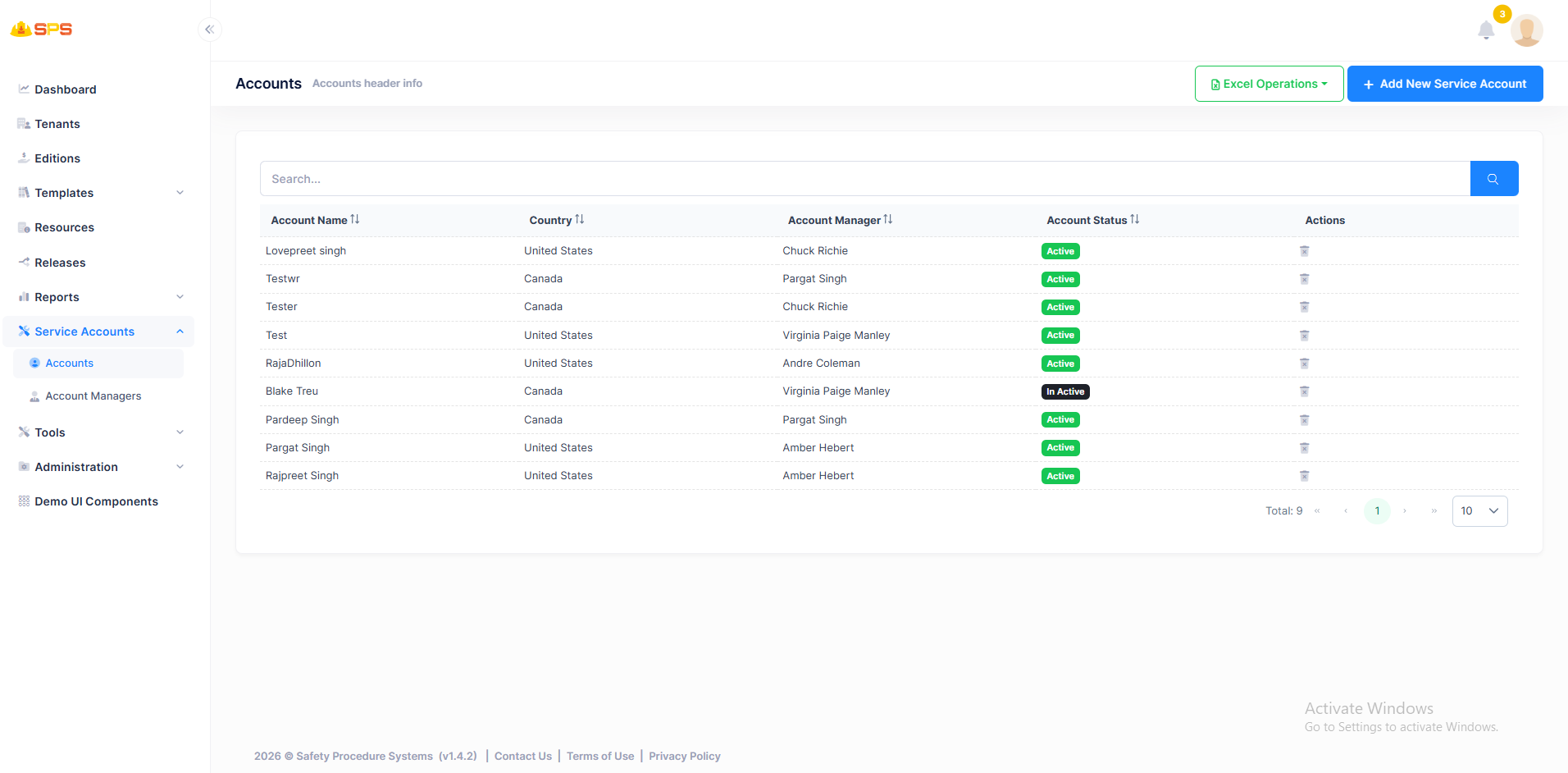
- Account Name: Displays the name of the service account.
- Country: Shows the country associated with the account.
- Account Manager: Displays the assigned Account Manager for each service account.
- Account Status: Indicates the current status of the account (Active/Inactive).
- Actions Column: Provides Edit and Delete actions for each account.
- Search Functionality: Includes a search bar to filter accounts by various criteria.
- Excel Operations: Export/Import functionality via Excel files.
2. Create New Service Account
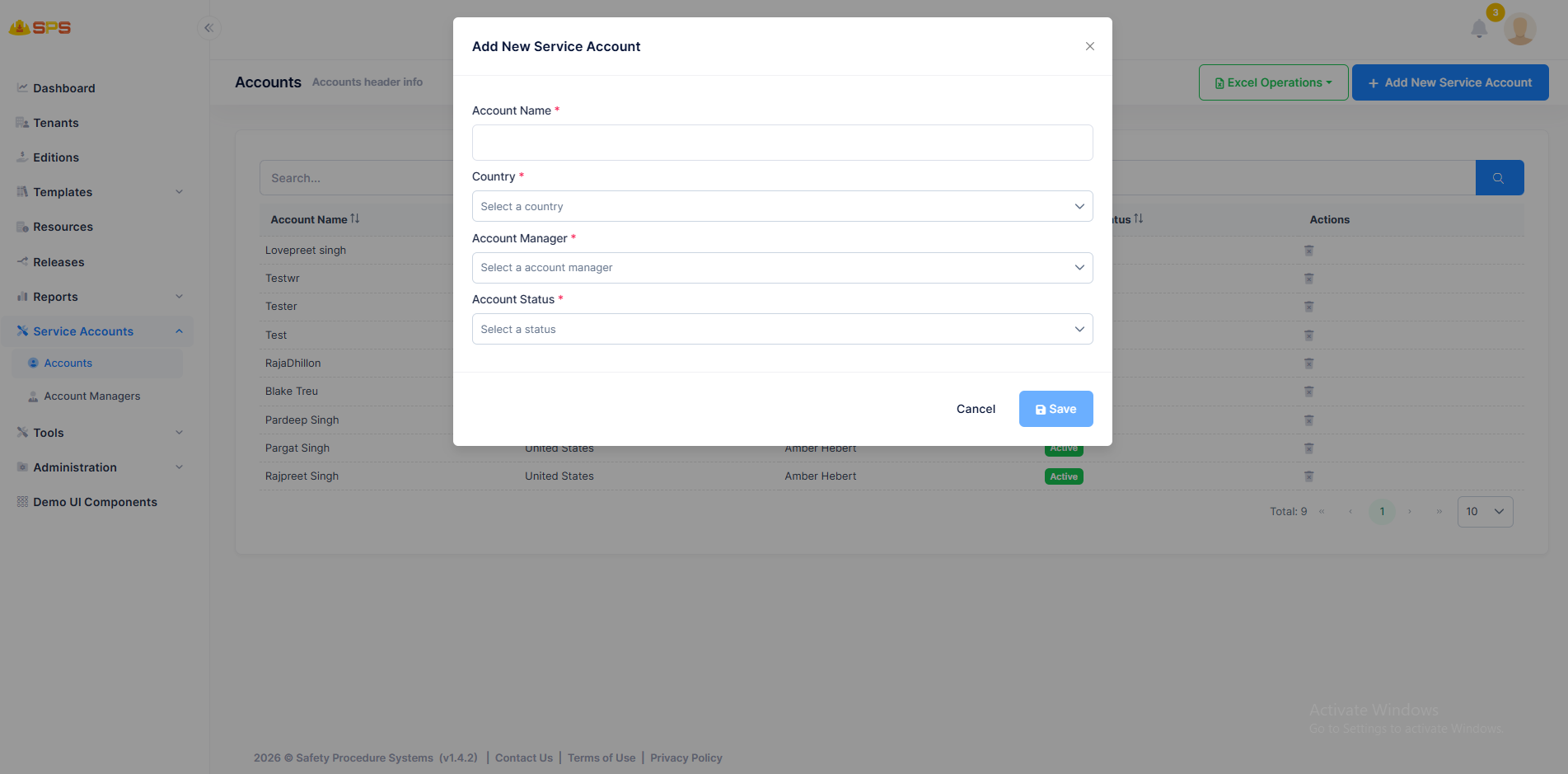
The creation dialog for a new service account includes the following fields:
- Account Name: Text input for the service account name (required).
- Country: Dropdown to select the country for the account (required).
- Account Manager: Dropdown to select an existing Account Manager (required).
- Account Status: Dropdown to set the initial status (Active/Inactive).
3. Edit Service Account
Similar to the creation dialog, the edit dialog allows updating all account details including Account Name, Country, Account Manager, and Account Status.
4. Delete Service Account
Administrators can delete service accounts, which removes them from the system. This action should be performed carefully as it may affect associated data.
Developer Reference
Security Permissions
Access to these resources is controlled by appropriate permission keys that manage view, create, edit, and delete operations for service accounts.