Documents Management
The Documents module allows administrators to manage files and resources within the system. It provides a centralized repository for storing, categorizing, and accessing important documentation across the platform.
SPS Customizations
Below are the specific workflows and functionalities built into the Documents module.
1. Documents Interface
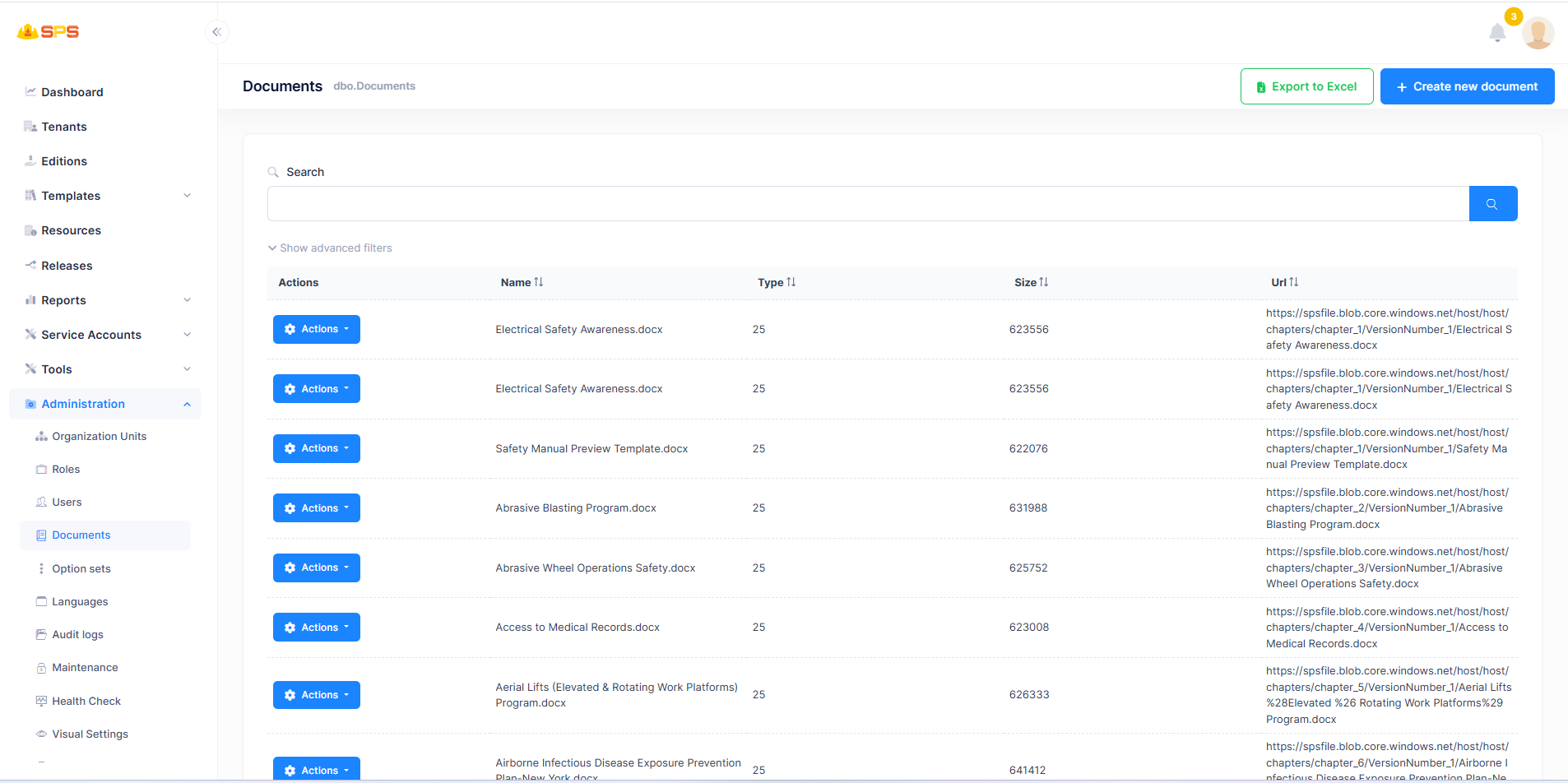
The primary view displays a list of all existing documents in the system:
- Documents List: A table displaying documents with details such as
Name,Type,Size, andUrl. - Search and Advanced Filters: Allows users to quickly search for specific documents or apply filters to narrow down the list.
- Actions Menu: Allows managing individual documents.
- Export to Excel: A button to export the current list of documents to an Excel file.
- Create New Document: A primary action button (
+ Create new document) to add a new document to the system.
2. Creating a New Document
When creating a document, administrators use a dialog to input relevant details:
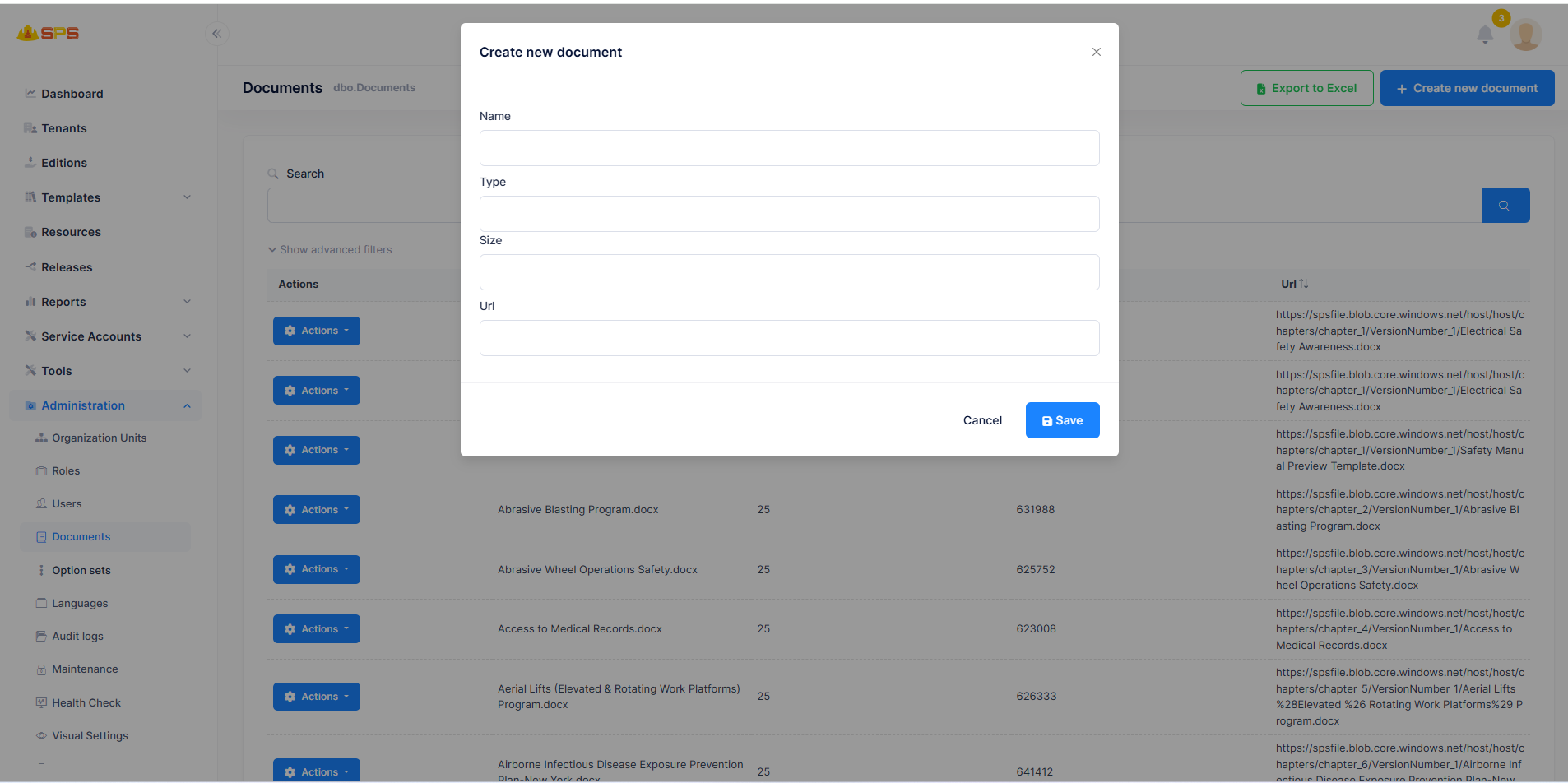
- Name: A mandatory field to define the unique name or title of the document.
- Type: Defines the format or category of the document.
- Size: Indicates the file size.
- Url: The endpoint or web address where the document is hosted or accessible.
Developer Reference
Core Backend Components
- Entities: Driven by a core entity (typically
Document) managing document metadata and its storage properties. - Application Services: Services handling CRUD operations for documents, file uploads, and integrating with external or internal blob storage (e.g., Azure Blob Storage).