Option Sets Management
The Option Sets module allows administrators to configure and manage dynamic lists of values used throughout the application. It provides a way to maintain standardized dropdown options and categorizations without requiring code changes.
SPS Customizations
Below are the specific workflows and functionalities built into the Option Sets module.
1. Option Sets Interface
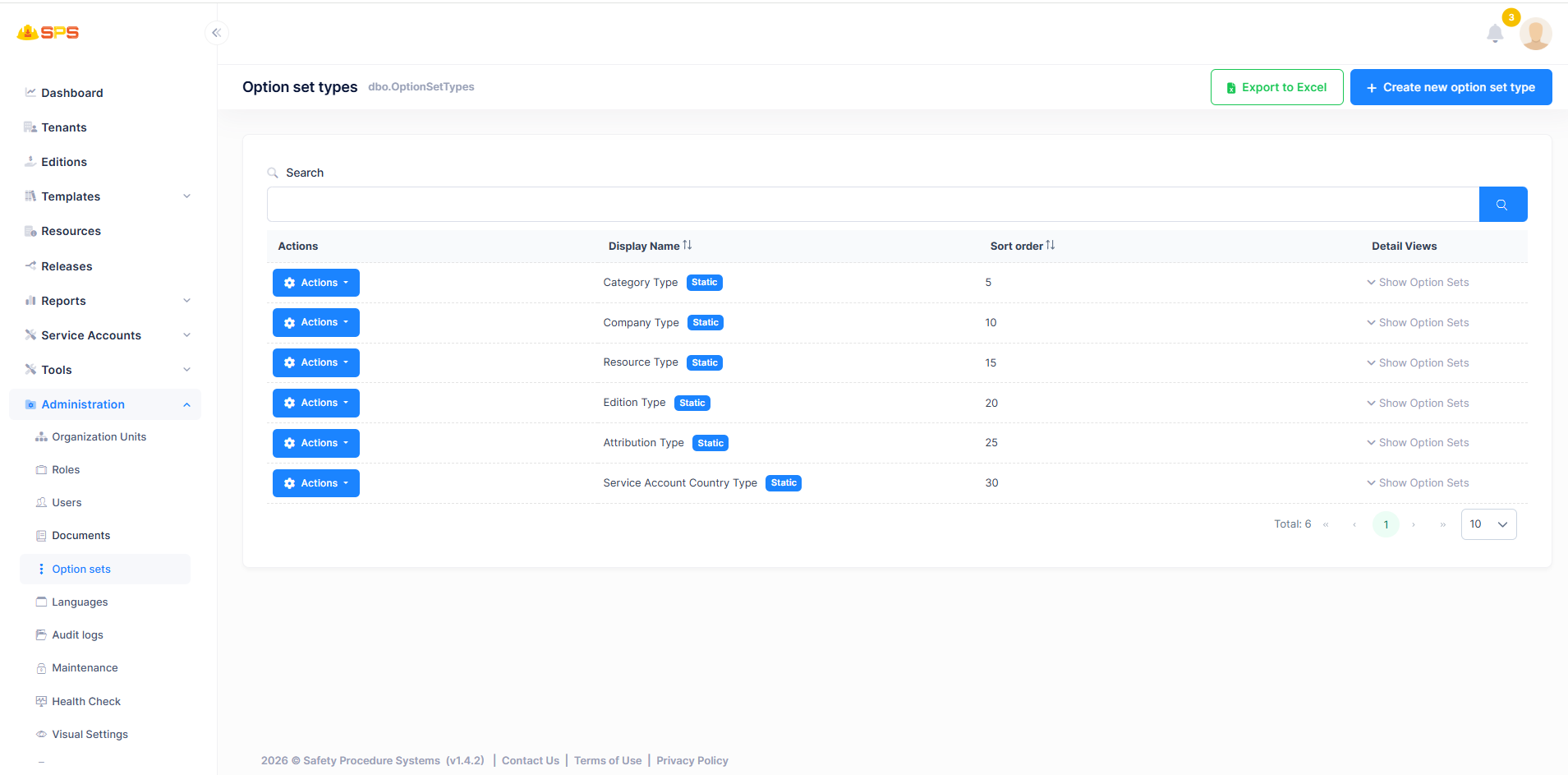
The primary view displays a list of all existing option set types in the system:
- Option Set Types List: A table displaying option sets with details such as
Display NameandSort order. It also indicates if an option set isStatic. - Search: A search bar to quickly locate specific option sets.
- Actions Menu: Allows managing individual option set types.
- Detail Views: Allows users to expand and
Show Option Setsnested under each type. - Export to Excel: A button to export the current list of option sets to an Excel file.
- Create New Option Set Type: A primary action button (
+ Create new option set type) to add a new overarching category for options.
2. Creating a New Option Set Type
When creating an option set type, administrators use a dialog to define the type:
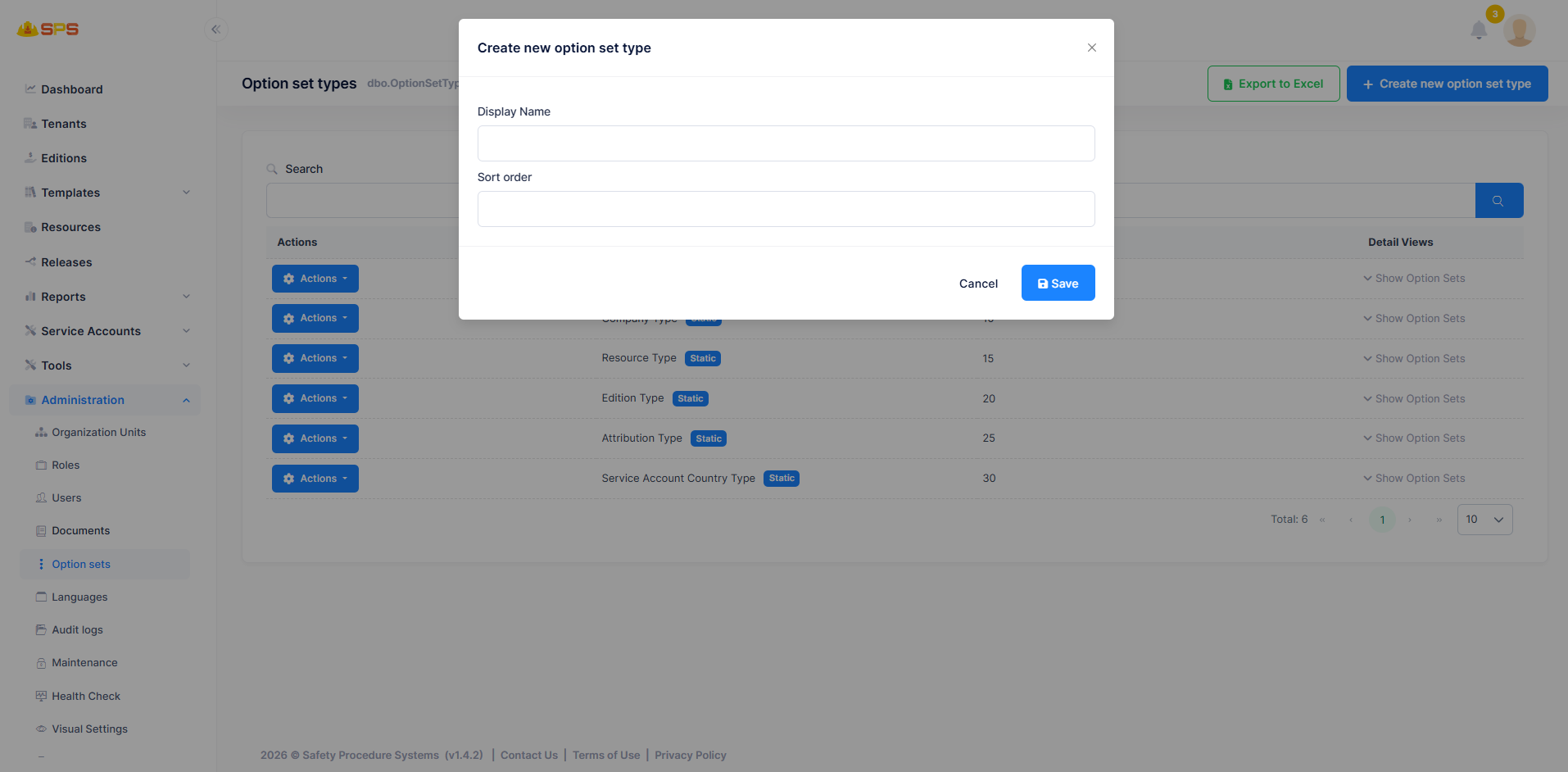
- Display Name: A mandatory field to define the name of the option set type as it will appear in the system.
- Sort order: A numerical value determining the sequence in which this option set type is displayed relative to others.
Developer Reference
Core Backend Components
- Entities: Driven by core entities (typically
OptionSetTypeandOptionSet) managing the types and their respective key-value pairs. - Application Services: Services handling CRUD operations for option sets, ensuring dynamic configurations are propagated correctly across application forms and views.