Edition Management
The Edition module handles subscription tiers and feature management across the platform. While the core functionality is built upon the standard ASP.NET Zero Edition system, several customizations have been introduced in the SPS project to accommodate specialized billing and configuration needs.
For standard edition management (like creating editions, assigning features, or basic subscription logic), refer to the ASP.NET Zero Edition Documentation.
SPS Customizations
Below is an overview of the custom features, UI modifications, and backend enhancements introduced to the Edition module in the SPS project.
1. Editions Grid
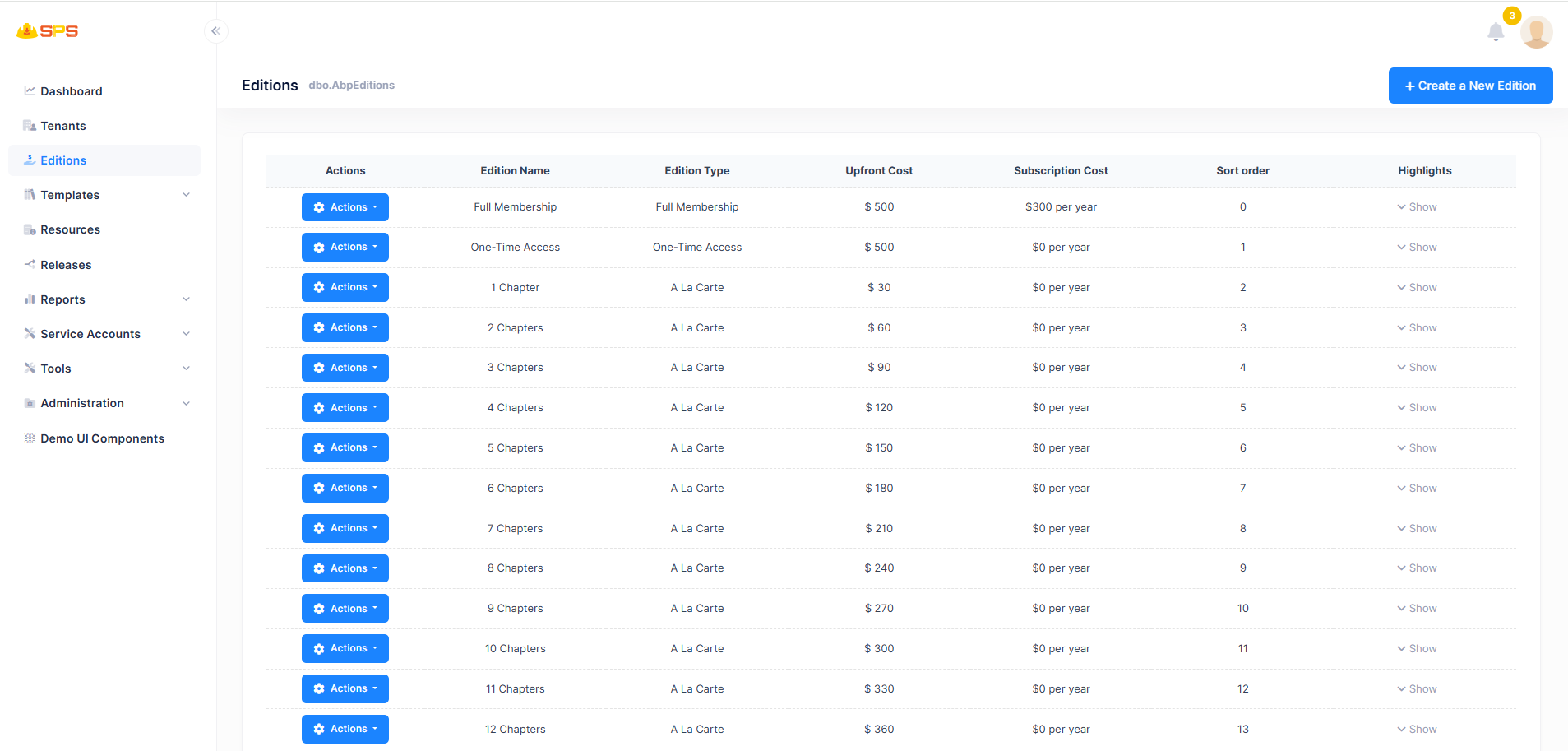
The primary grid view displays all available editions with enhanced column details:
- Upfront Cost & Subscription Cost: Clearly separates one-time fees from recurring annual/monthly fees.
- Sort Order: Indicates the explicit display order of the edition on the frontend.
- Edition Type: Categorizes the edition based on its service model (e.g., A La Carte, Full Membership, One-Time Access).
2. Create Edition
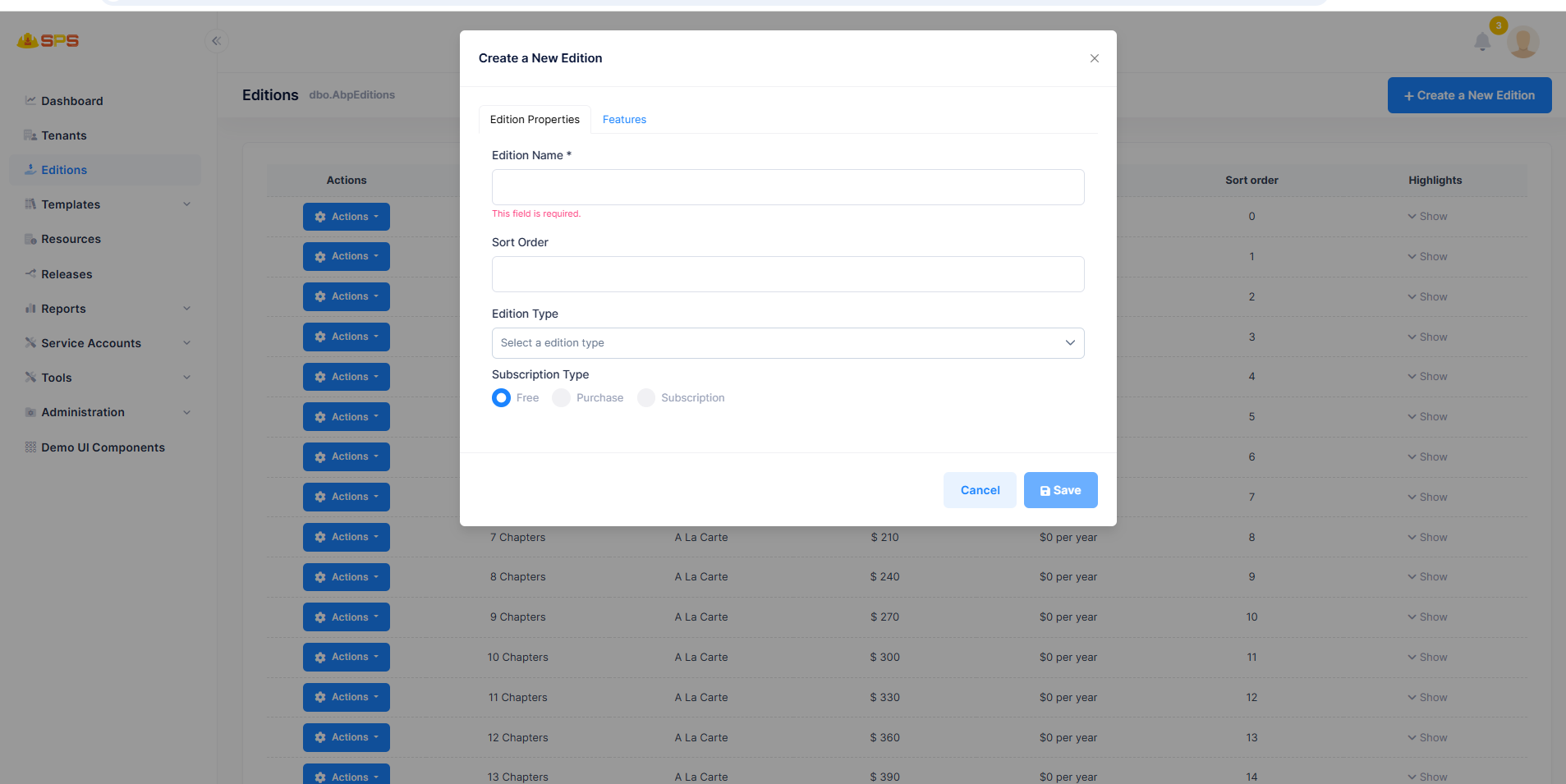
The creation modal includes several SPS-specific fields under the "Edition Properties" tab:
- Sort Order: Controls where this edition appears in the pricing lists.
- Edition Type: A dropdown to link the edition to a specific service or option set.
- Subscription Type: Allows choosing between
Free,Purchase(One-Time Cost), andSubscription(Recurring billing).
3. Move Tenants to Another Edition
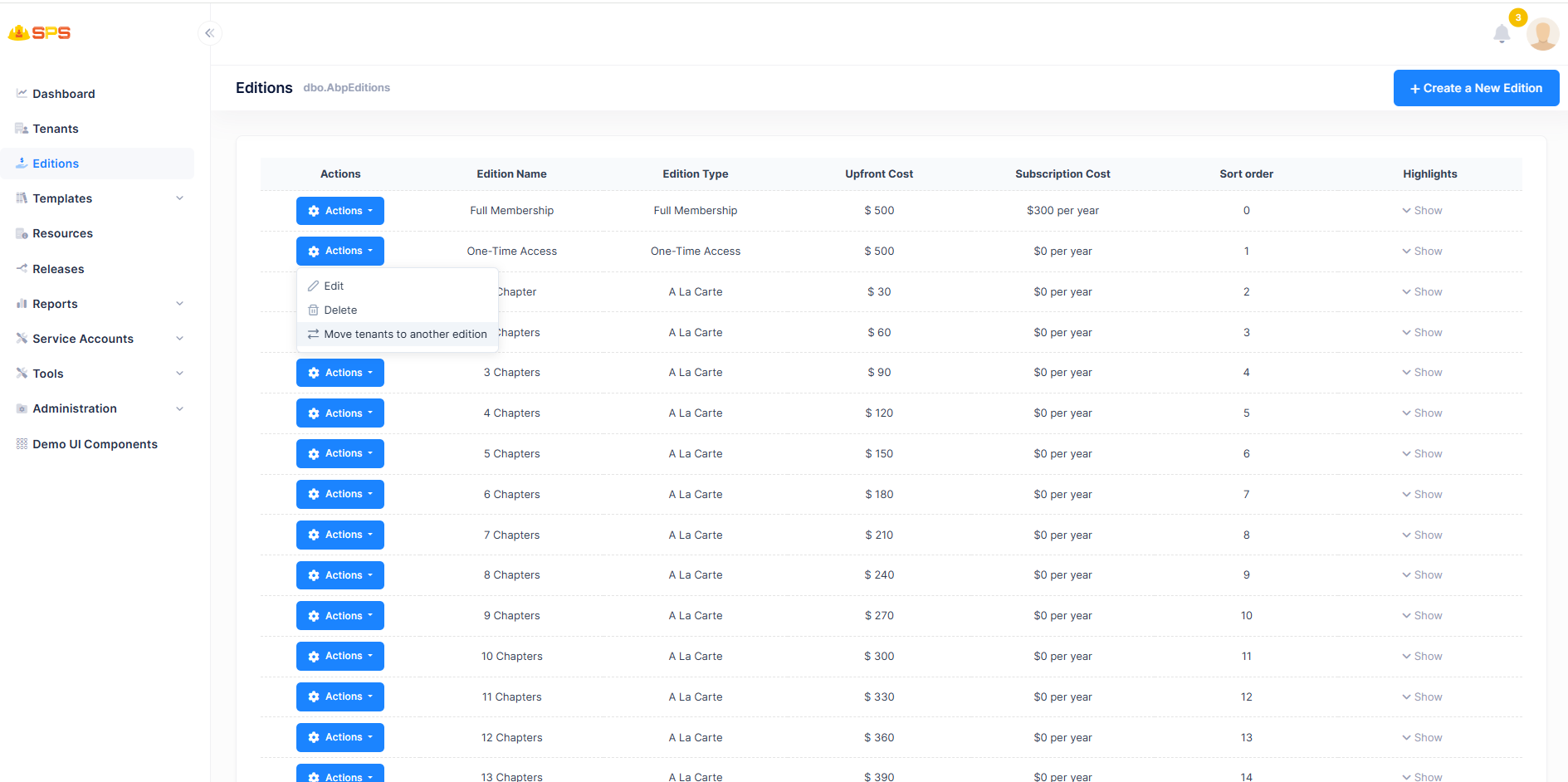
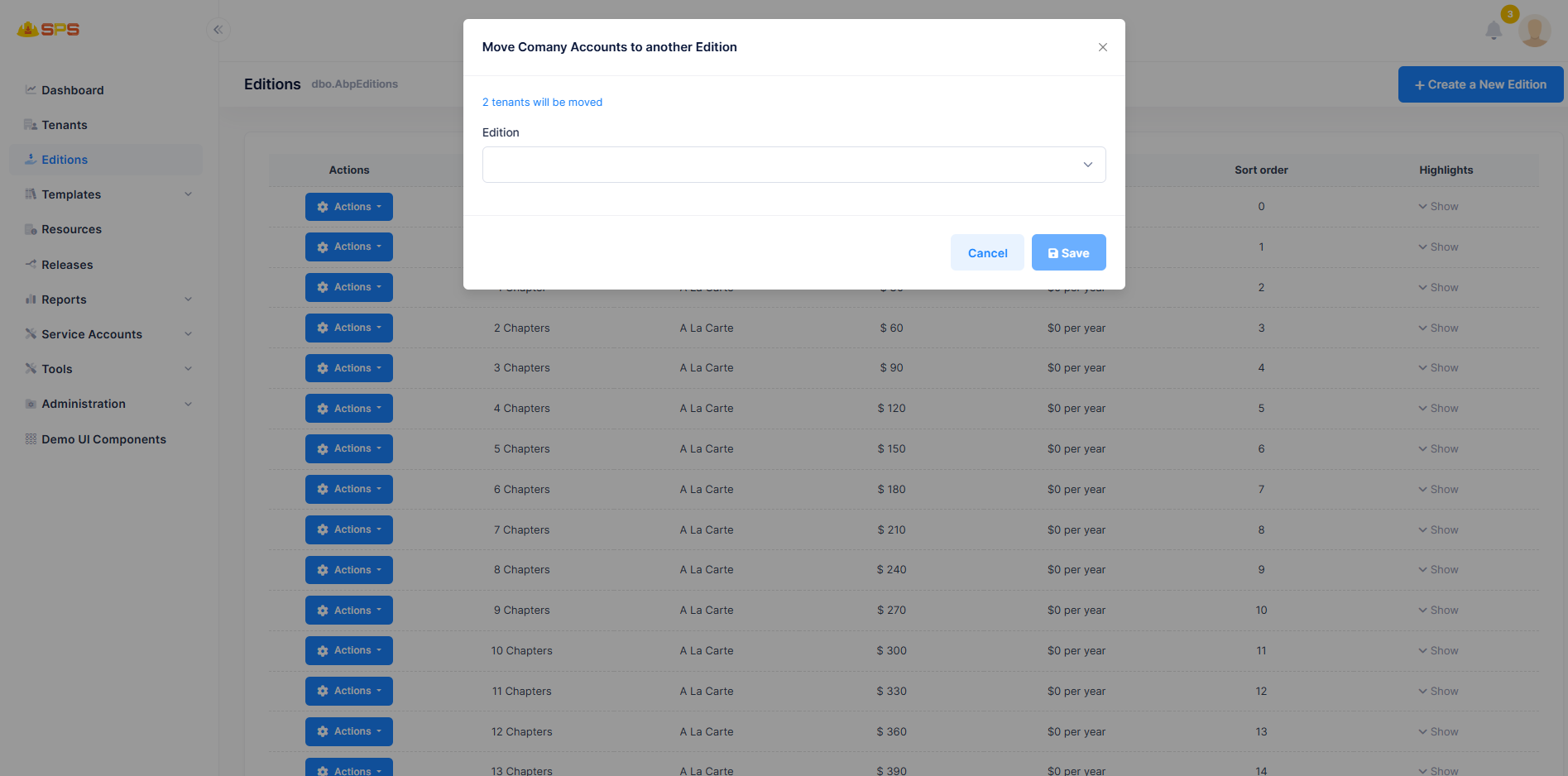
A custom administrative action available in the grid's action menu. This allows host administrators to bulk-migrate all active tenants from one edition to another.
- This is highly useful when deprecating an old subscription tier or moving users to a newly structured "Full Membership" tier without manually updating each tenant's billing profile.
Backend Data Model Enhancements
The following fields were added to the SubscribableEdition entity and related DTOs to support the UI features above:
- Extended Billing Models (OneTimeCost): In addition to the standard ASP.NET Zero recurring subscriptions, SPS introduces a one-time fixed cost model. The payment pipeline (
StripePaymentAppService) and reporting (IncomeStatisticsReporter) have been updated to supportPaymentPeriodType.OneTimeCost. - Order: An integer field introduced to explicitly control the display order of editions.
- OptionSetId / OptionSetFk: Links the edition directly to an
OptionSet, allowing dynamic configuration sets to be tied to specific subscription tiers. - ServiceType: Categorizes the edition based on the type of service it provides within the SPS ecosystem.
Developer Reference
Core Backend Components
- Entity:
SPS.Manual.Editions.SubscribableEdition(ExtendsAbp.Application.Editions.Edition) - Application Services:
EditionAppServicehandles the CRUD operations, mapping extended fields fromEditionCreateDto. - Payment Integration: Custom pricing logic is heavily integrated into the billing services located under
MultiTenancy/Payments/.