Releases Management
The Releases module provides a systematic way to package and publish updates to chapters and resources. It ensures that users have access to a clear history of modifications, organized into numbered releases with detailed notes.
SPS Customizations
Below are the specific workflows and functionalities built into the Releases module.
1. Releases Grid
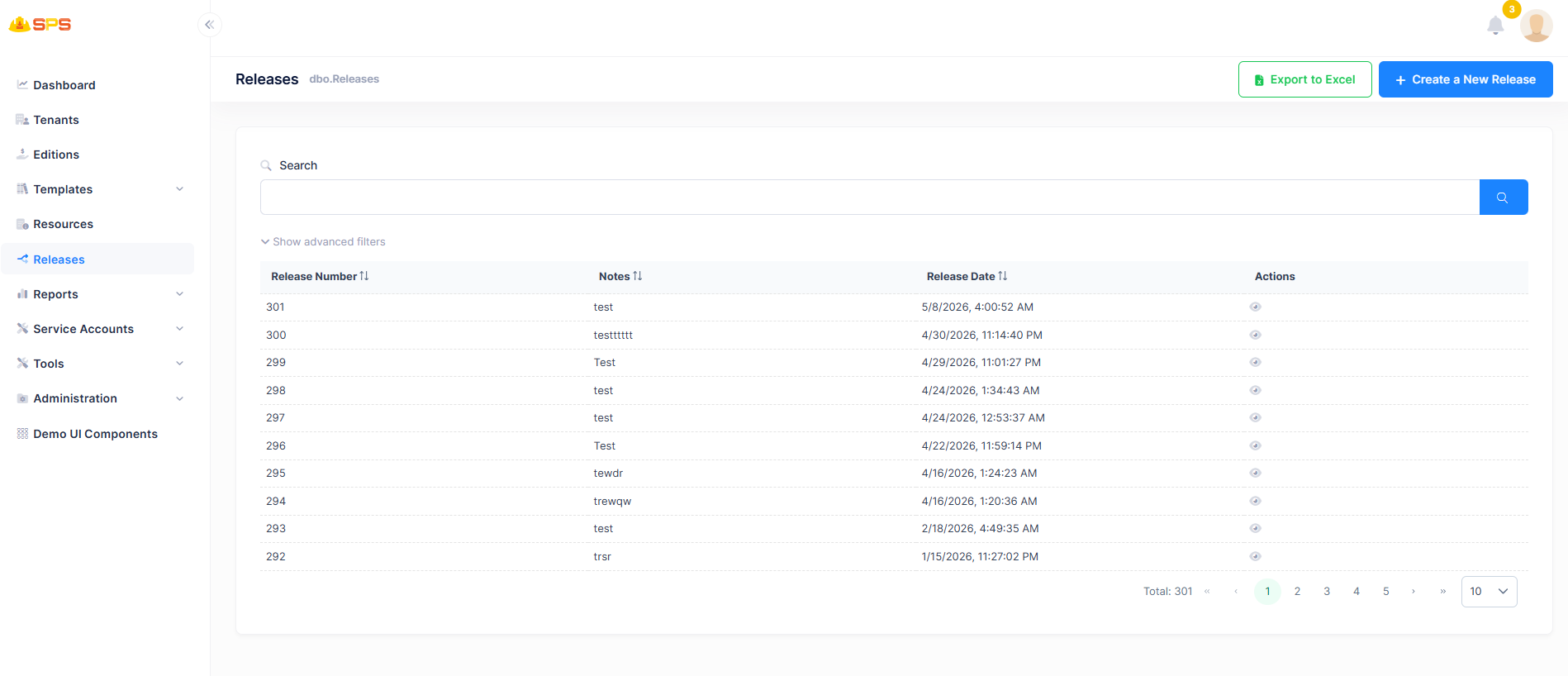
The primary grid view displays a chronological list of all software or content releases. Key elements include:
- Search: A search bar to quickly locate a specific release by its notes or metadata.
- Columns:
- Release Number: A sequential identifier for the release (e.g., 292, 301).
- Notes: A brief description or summary of what is included in the release.
- Release Date: The timestamp indicating when the release was created.
- Actions: A view button (eye icon) to inspect the details of a specific release.
- Export to Excel: A utility button allowing users to export the release history for external reporting or auditing.
- Create a New Release: A primary action button that launches the release creation workflow.
2. Create a New Release
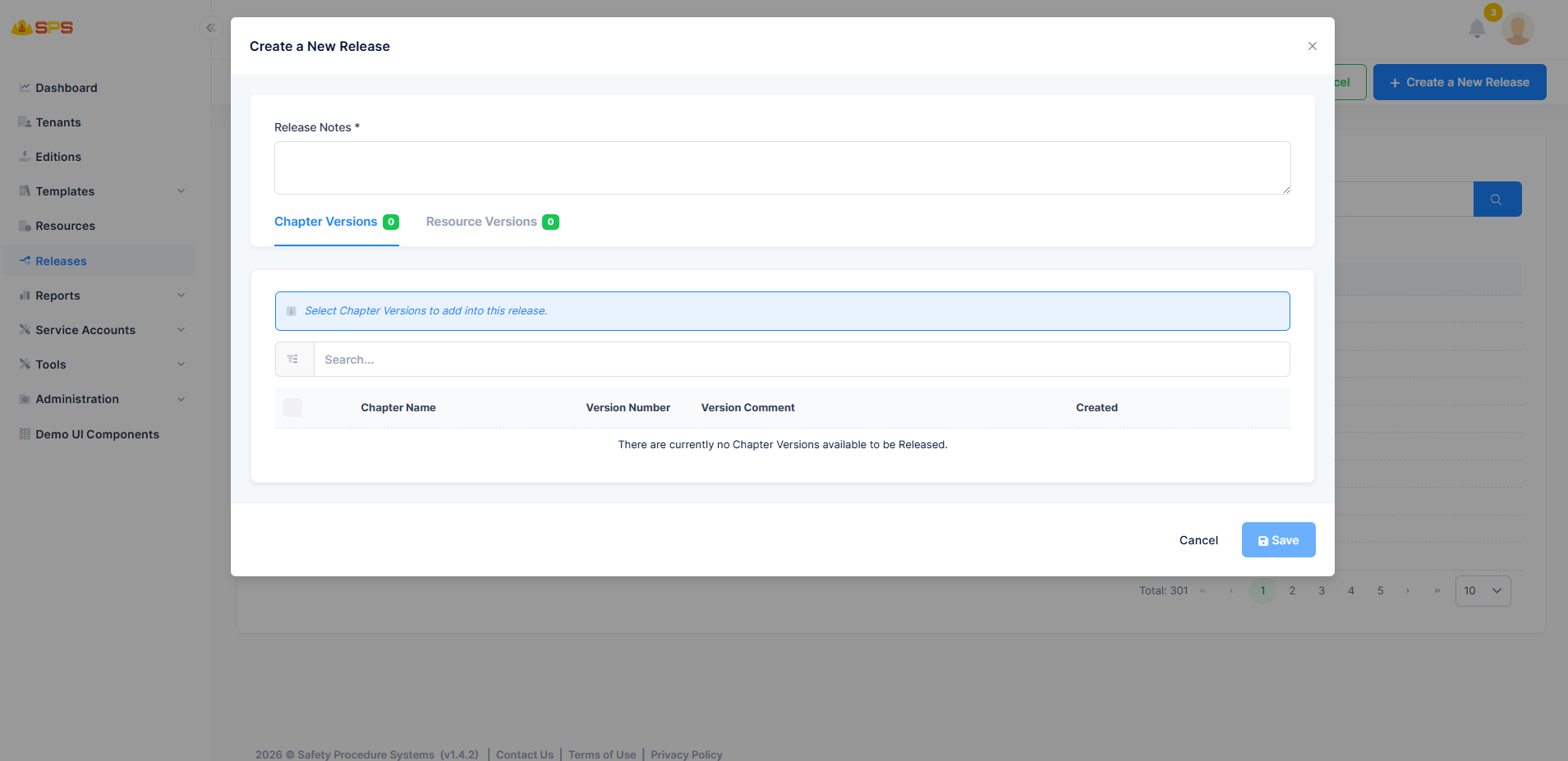
The "Create a New Release" modal provides a comprehensive interface for assembling a new release package:
- Release Notes: A required, multi-line text area where administrators must document the changes, updates, or fixes included in the new release.
Asset Selection Tabs
The modal is divided into two tabs, allowing administrators to select which assets to include:
- Chapter Versions:
- Displays a list of available chapter updates.
- Includes a search bar to filter chapters.
- Shows columns for Chapter Name, Version Number, Version Comment, and Created date.
- Users can select specific chapters using the checkboxes on the left.
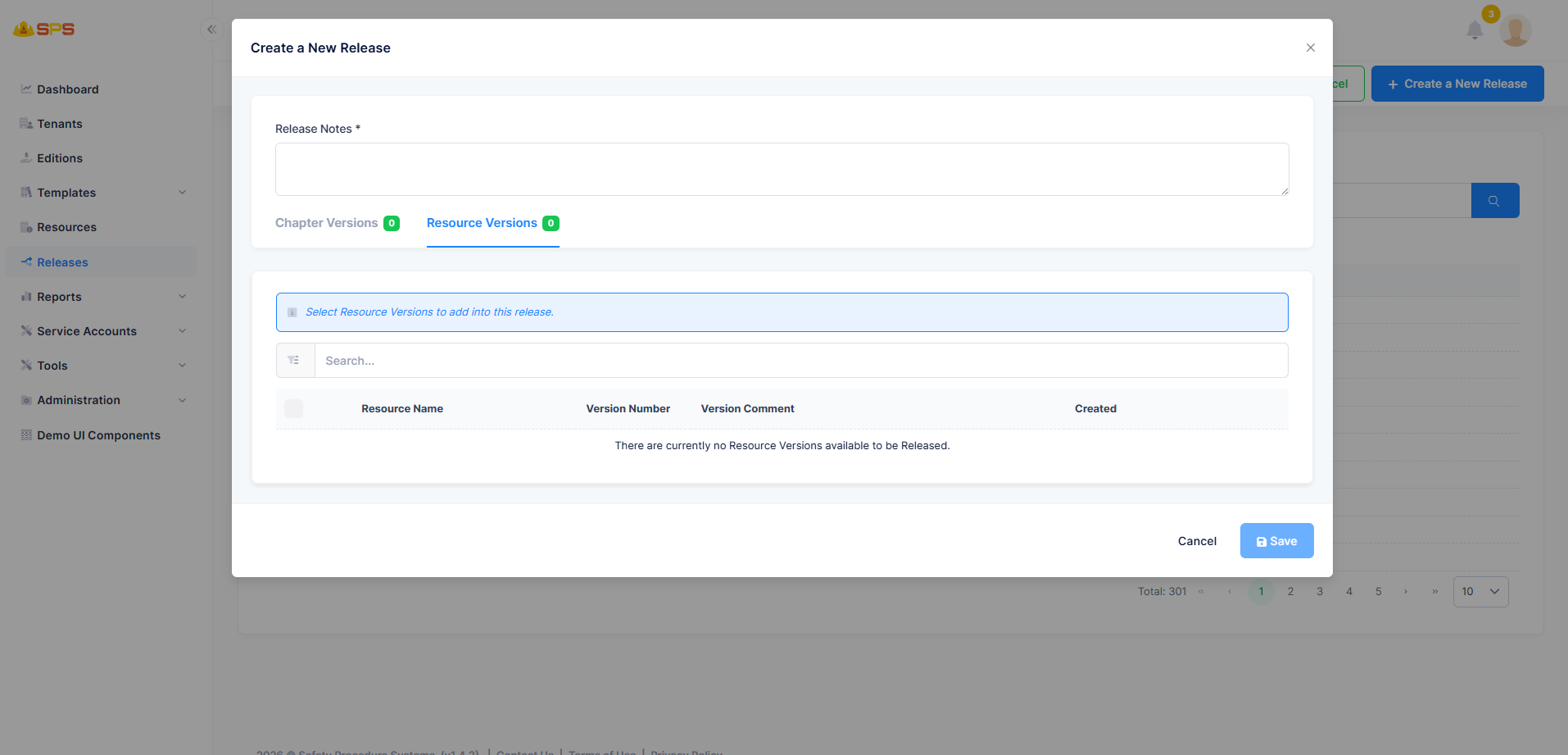
- Resource Versions:
- Displays a list of available resource updates.
- Includes a search bar to filter resources.
- Shows columns for Resource Name, Version Number, Version Comment, and Created date.
- Users can select specific resources using the checkboxes.
Once the appropriate notes and assets are selected, the user can click Save to finalize and publish the release.
Developer Reference
Core Backend Components
- Entities: The data model is driven by a primary
Releaseentity (mapped todbo.Releases) holding core attributes like ReleaseNumber, Notes, and ReleaseDate. - Application Services: The
ReleasesAppServicemanages data retrieval, creation of new releases, and handling the relationship between a release and its selected chapter/resource versions.