Purchase Attribution Report
The Purchase Attribution report shows tenant accounts that have purchased editions along with their purchase attribution details like response and comments.
SPS Customizations
Below are the specific workflows and functionalities for the Purchase Attribution report.
1. Purchase Attribution Grid
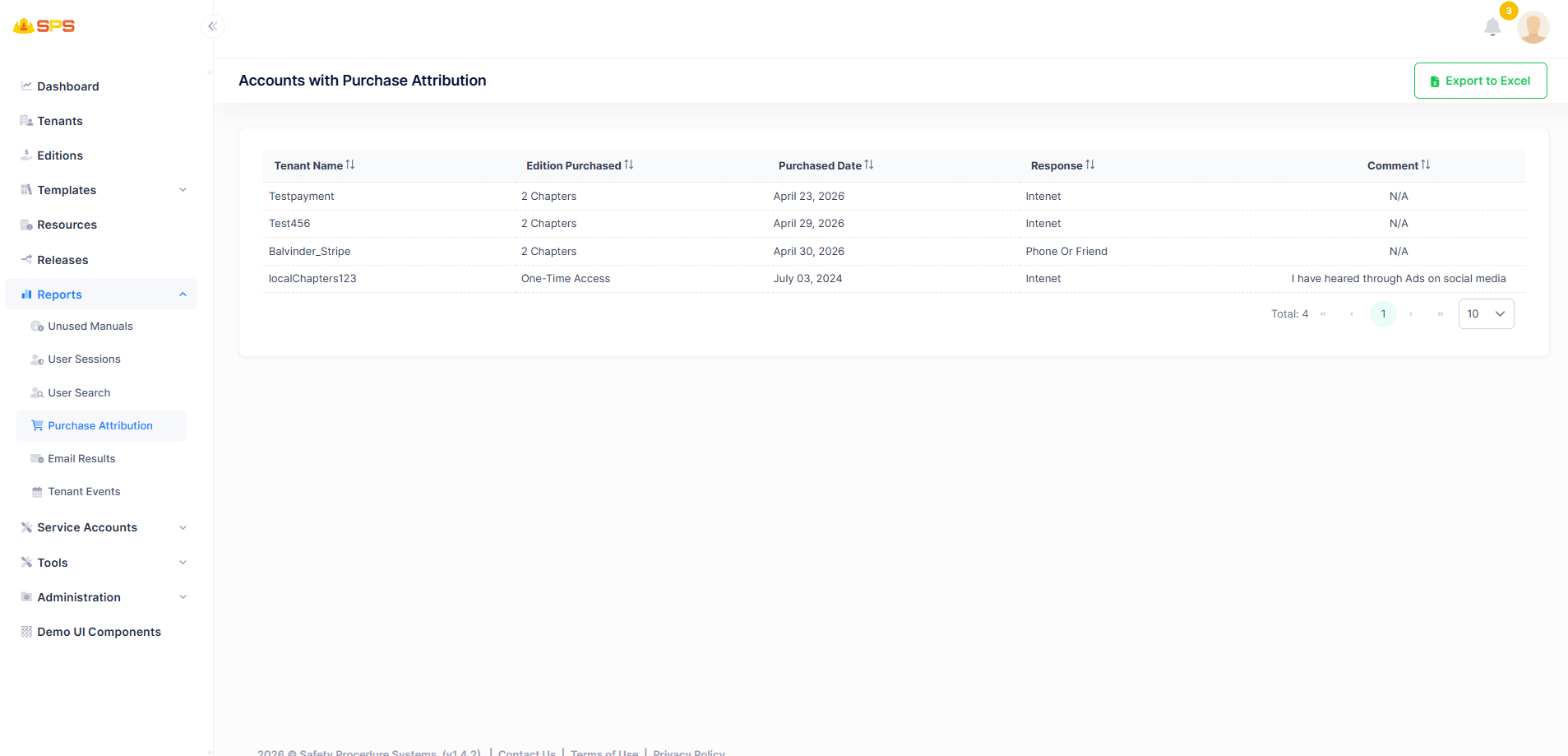
The primary grid view displays accounts with purchase attribution details. Key elements include:
- Columns:
- Tenant Name: Name of the tenant organization.
- Edition Purchased: The edition that the tenant purchased.
- Purchased Date: Date when the purchase was made.
- Response: Response related to the purchase attribution.
- Comment: Additional comments or notes.
- Export to Excel: A utility button allowing users to export the report data for external analysis.
- Pagination: Controls to navigate through multiple pages of results.
Developer Reference
Core Backend Components
- Application Services: The reports are retrieved and managed via dedicated application services handling purchase attribution data.