Tenant Events Report
The Tenant Events report provides a log of all events related to tenant accounts, including event types, timestamps, and related entities.
SPS Customizations
Below are the specific workflows and functionalities for the Tenant Events report.
1. Tenant Events Grid
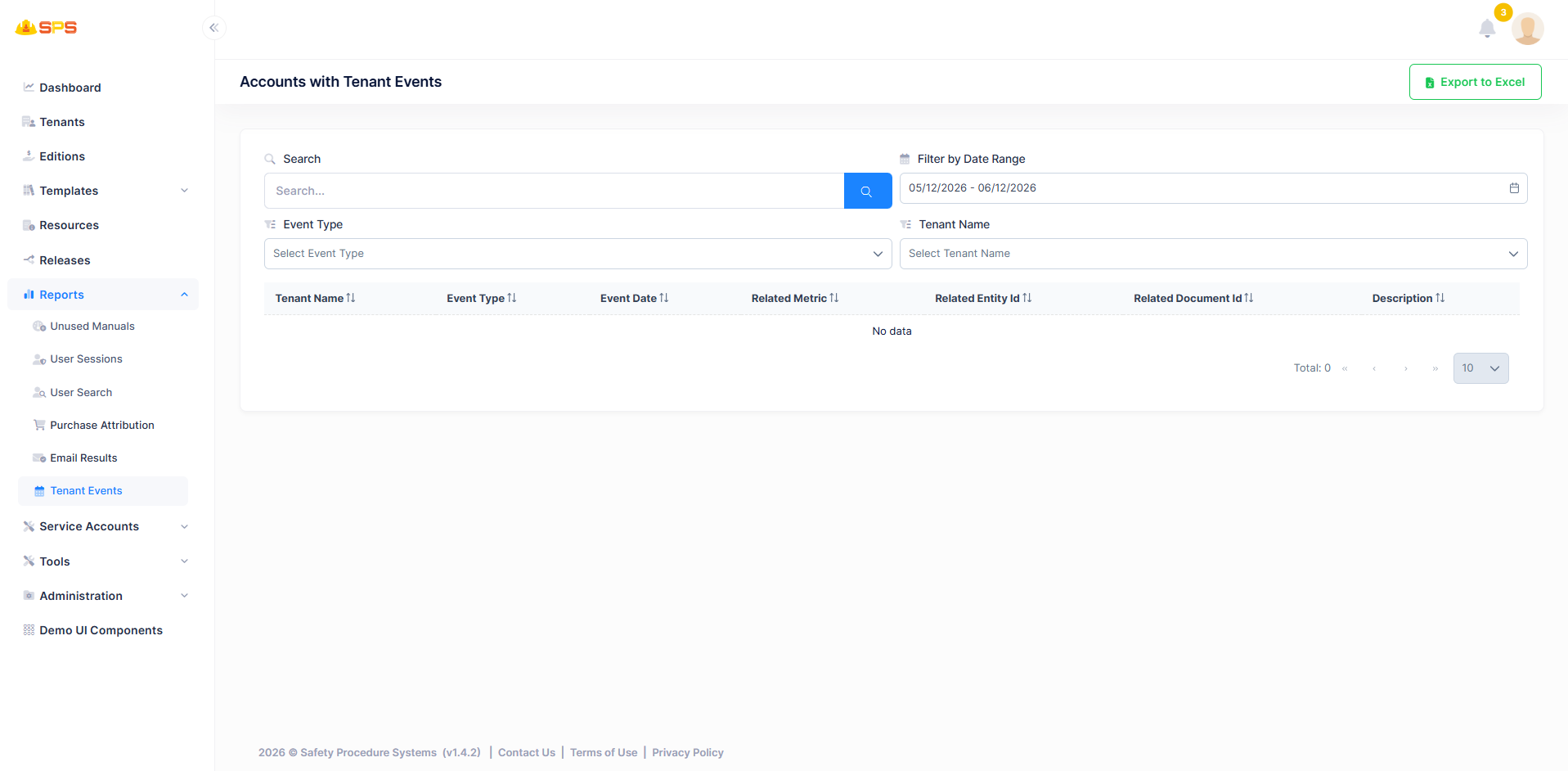
The primary grid view displays tenant events with multiple filtering options. Key elements include:
- Search: A search bar to quickly find specific events.
- Filter by Date Range: Allows filtering event records between a start and end date.
- Event Type Filter: A dropdown to filter by specific event types.
- Tenant Name Filter: A dropdown to filter events by specific tenant accounts.
- Columns:
- Tenant Name: Name of the tenant organization associated with the event.
- Event Type: Type/category of the event.
- Event Date: Date and time when the event occurred.
- Related Metric: Metric or measurement related to the event.
- Related Entity Id: ID of the entity associated with the event.
- Related Document Id: ID of the document related to the event (if applicable).
- Description: Detailed description of the event.
- Export to Excel: A utility button allowing users to export event data for external analysis.
- Pagination: Controls to navigate through multiple pages of results.
Developer Reference
Core Backend Components
- Application Services: The tenant event data is retrieved and managed via dedicated application services handling event logging.