Unused Manuals Report
The Unused Manuals report helps identify tenant accounts that have safety manuals which are licensed but not actively used or have low usage.
SPS Customizations
Below are the specific workflows and functionalities for the Unused Manuals report.
1. Unused Manuals Grid
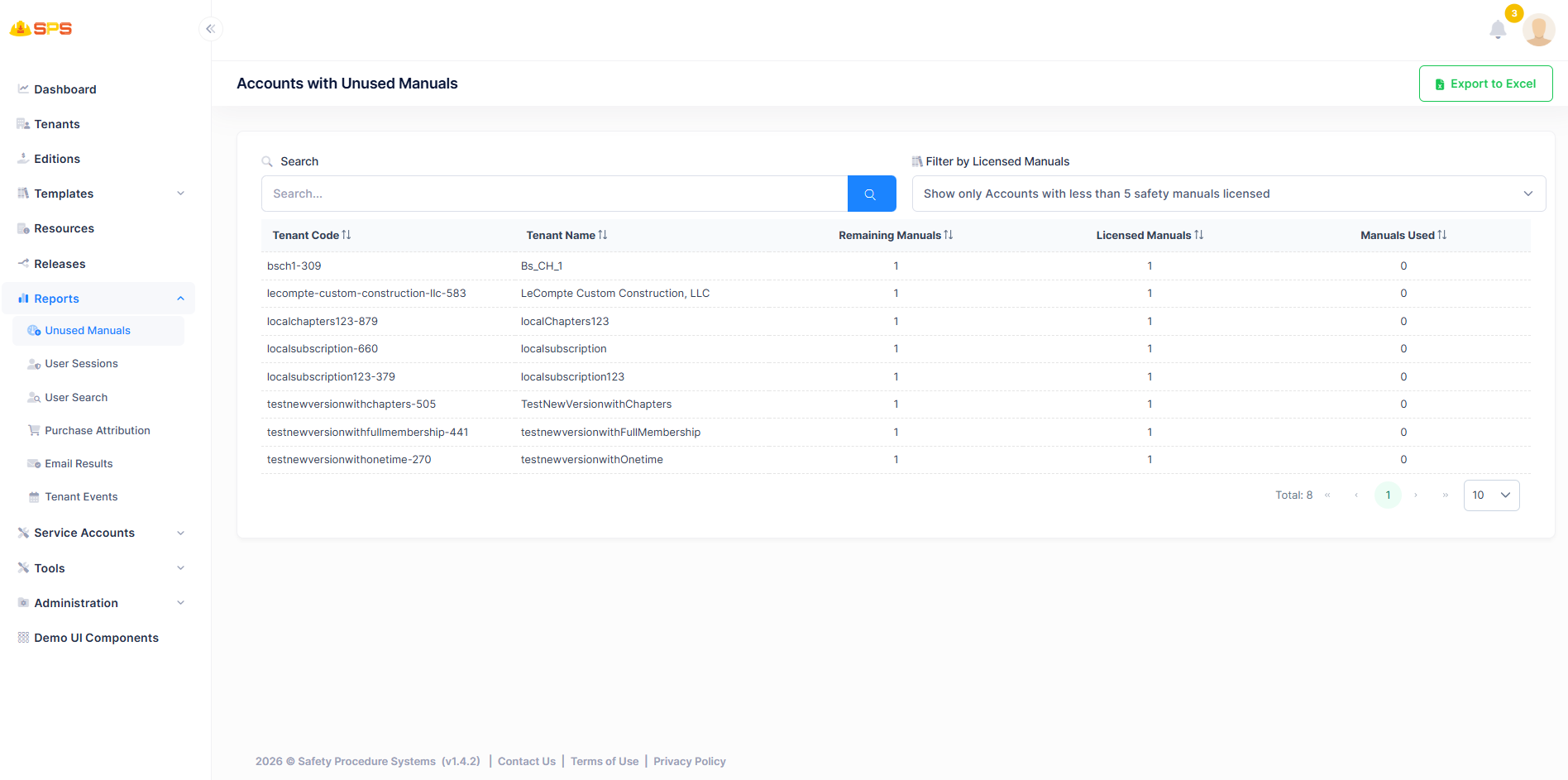
The primary grid view displays accounts with unused manuals. Key elements include:
- Search: A search bar to quickly locate specific tenant accounts.
- Filter by Licensed Manuals: A dropdown to filter results based on licensed manual criteria.
- Columns:
- Tenant Code: Unique identifier for the tenant account.
- Tenant Name: Name of the tenant organization.
- Remaining Manuals: Number of manuals still available or unused.
- Licensed Manuals: Total number of manuals licensed by the tenant.
- Manuals Used: Number of manuals actually used by the tenant.
- Export to Excel: A utility button allowing users to export the report data for external analysis.
- Pagination: Controls to navigate through multiple pages of results.
Developer Reference
Core Backend Components
- Application Services: The reports are retrieved and managed via dedicated application services handling reporting logic for manual usage tracking.