Resources Management
The Resources module serves as a centralized repository for managing various types of informational and operational assets within the SPS platform. It allows administrators to organize, track, and maintain different resource materials such as forms, safety meeting presentations, and toolbox talks.
SPS Customizations
Below are the specific workflows and functionalities built into the Resources module.
1. Resources Grid
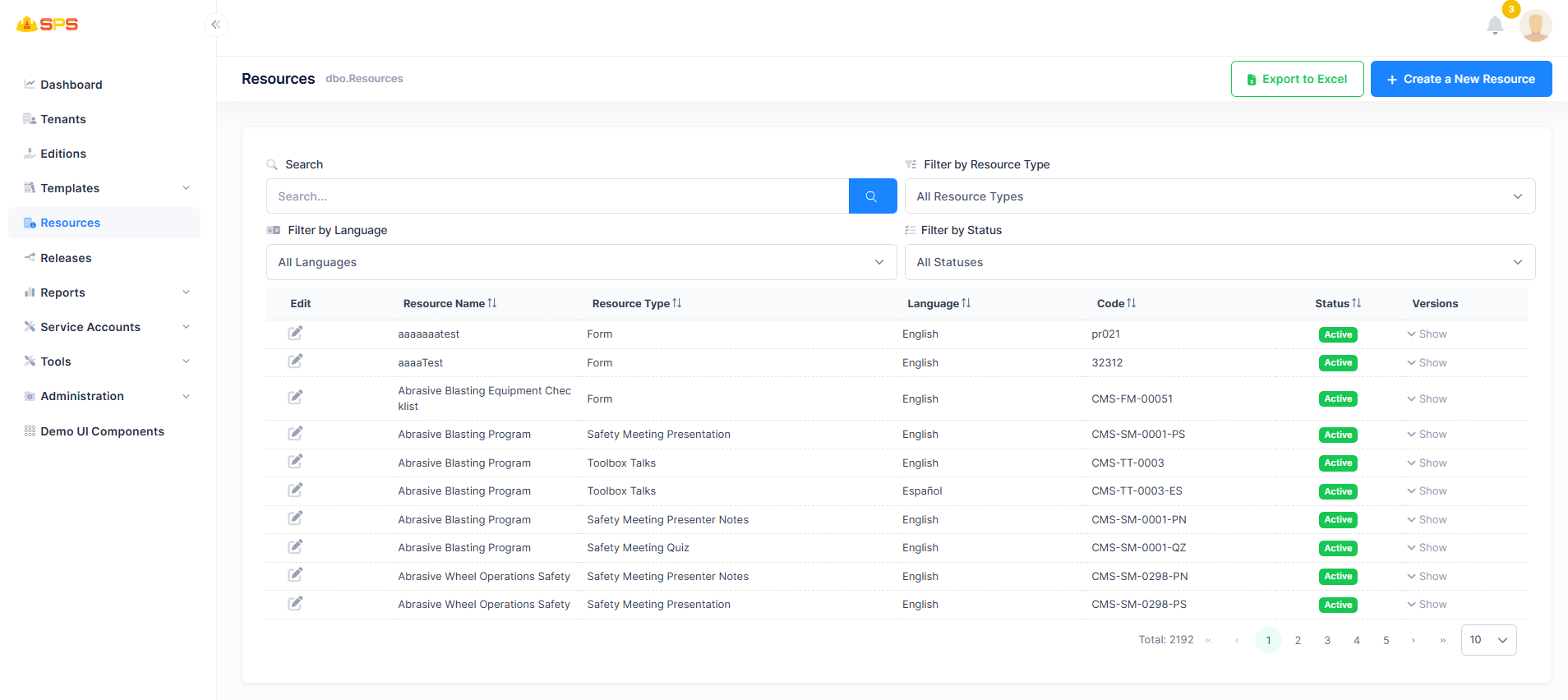
The primary grid view displays all configured resources with powerful filtering and search capabilities. The grid includes the following data points and features:
- Search: A unified search bar to quickly locate resources by name or code.
- Filters:
- Filter by Resource Type: Dropdown to filter by categories like Form, Safety Meeting Presentation, Toolbox Talks, etc.
- Filter by Language: Dropdown to filter resources by their configured language (e.g., English, Español).
- Filter by Status: Dropdown to filter based on the active or inactive status of the resource.
- Columns:
- Edit: Action button (pencil icon) to modify an existing resource.
- Resource Name: The display name or title of the resource.
- Resource Type: The category classification of the resource.
- Language: The language the resource is available in.
- Code: A unique identifier or shortcode assigned to the resource (e.g.,
CMS-FM-00051). - Status: A visual indicator (badge) showing whether the resource is Active.
- Versions: A dropdown or toggle to show and manage different versions of the resource.
- Export to Excel: A utility button allowing users to export the current grid data for external reporting.
2. Create a New Resource
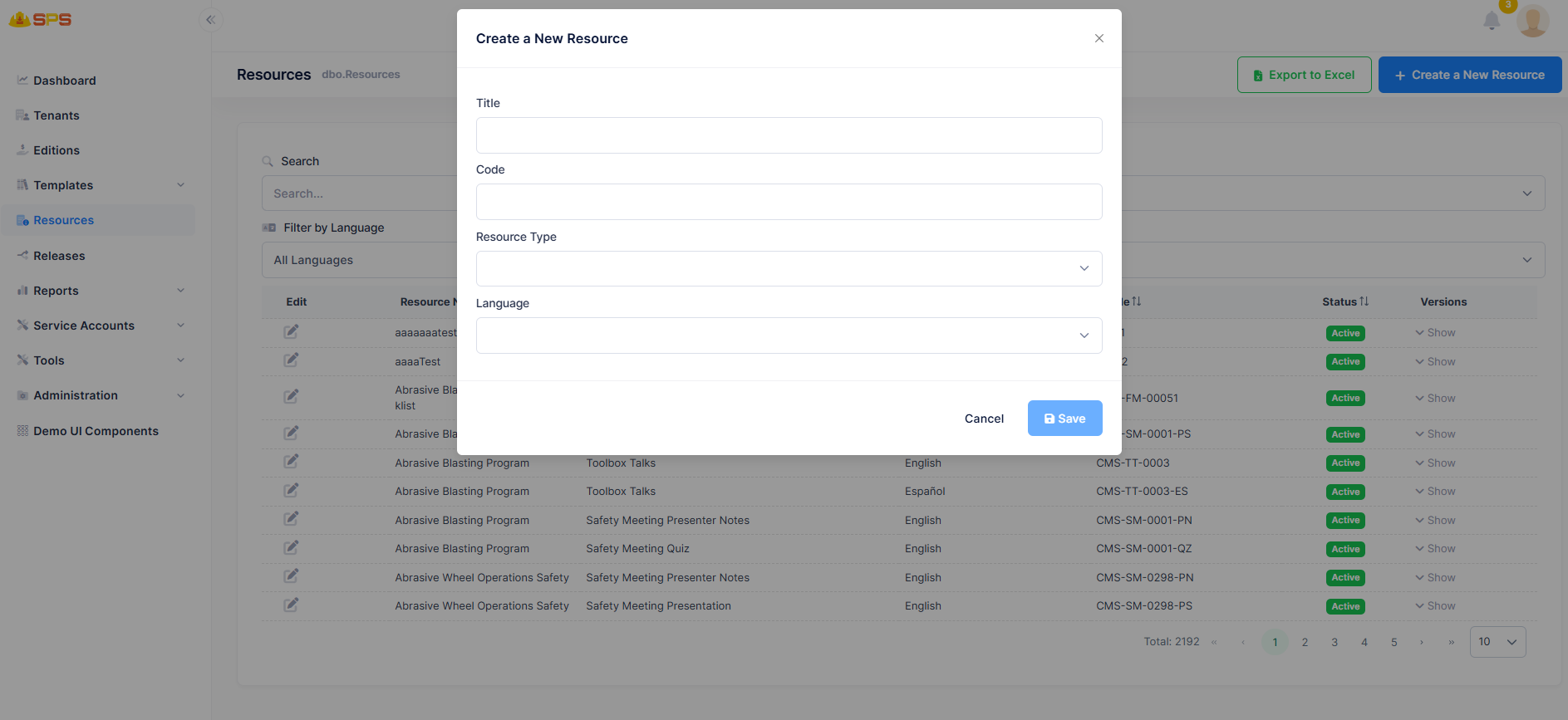
The creation and modification modal allows administrators to define a new resource through a straightforward interface:
- Title: A free-text string representing the user-friendly name for the resource.
- Code: A text input for assigning a unique reference code to the resource.
- Resource Type: A dropdown selection to classify the resource (e.g., Form, Quiz, Toolbox Talks).
- Language: A dropdown selection to specify the primary language of the resource content.
Developer Reference
Core Backend Components
- Entities: The data model is driven by a primary
Resourceentity holding core attributes like Title, Code, ResourceType, Language, and Status. - Application Services: The
ResourcesAppServicemanages data retrieval, creation, and updating. It handles the server-side filtering, sorting, and pagination logic to support the responsive data grid.