Categories Management
The Categories module provides a simplified grouping mechanism within the Templates system. It allows administrators to define structural classifications (such as "Industries" or "Regulatory Jurisdictions") that can later be mapped to other template entities like Chapters.
SPS Customizations
Below are the specific workflows and customizations built into the Categories module.
1. Categories Grid
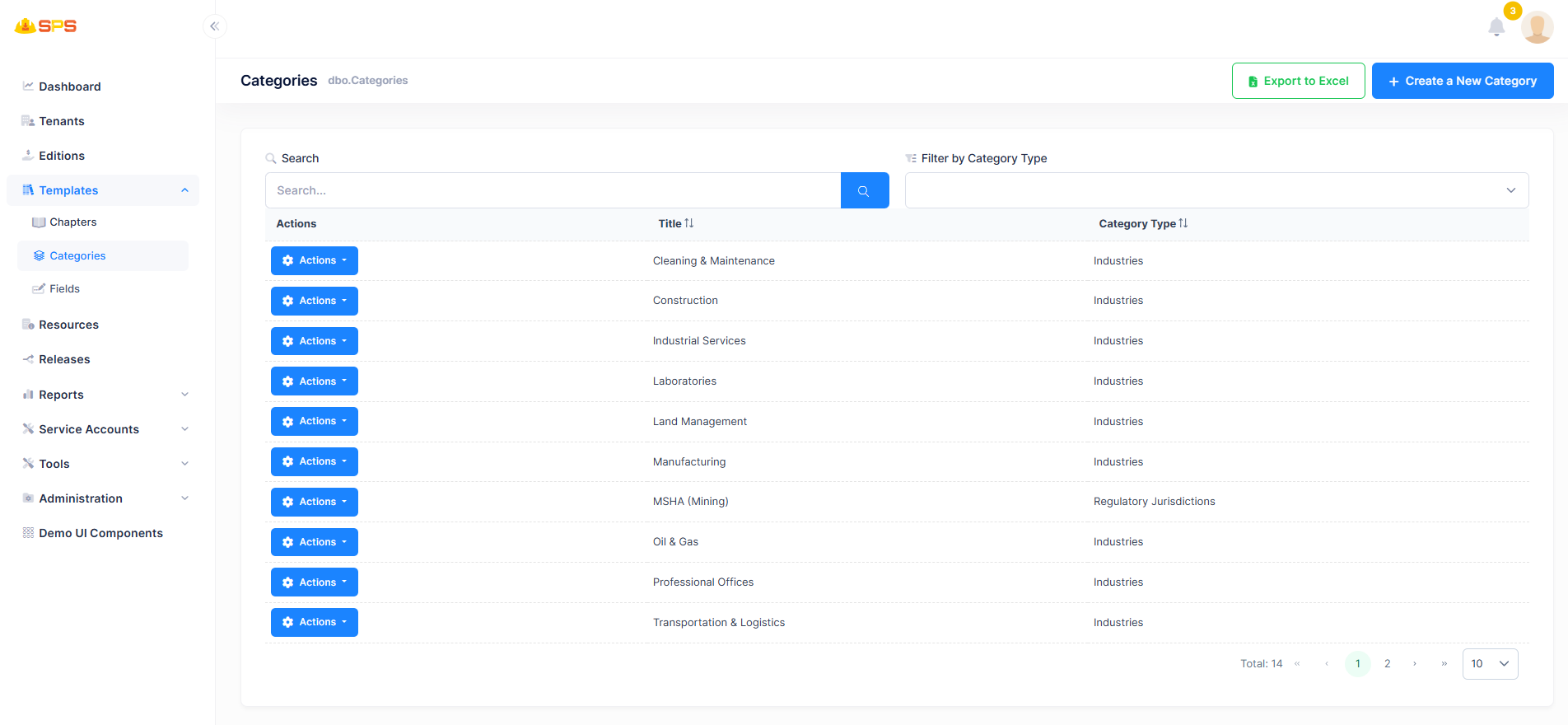
The primary grid view displays all active categories with enhanced filtering tools:
- Grid Data: Displays the
Titleand the assignedCategory Typefor each record. - Category Type Filtering: A custom dropdown filter (
Filter by Category Type) allows administrators to quickly refine the grid based on the broad classification of the category (e.g., viewing only "Industries"). - Actions: Accessible from the dropdown to edit or manage category records.
2. Create a New Category
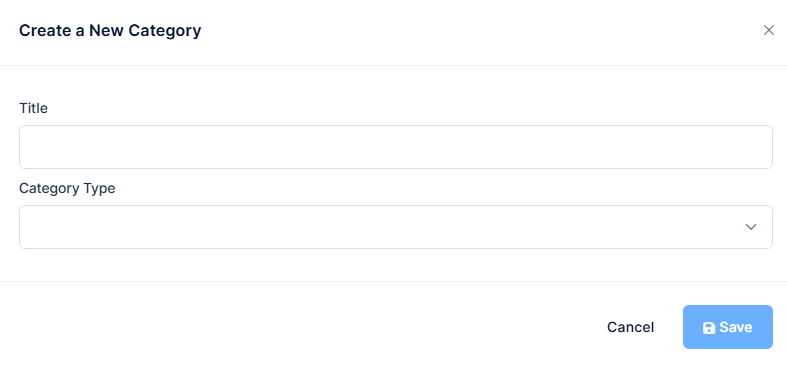
The creation and modification modal is straightforward, enforcing two primary properties:
- Title: A free-text string representing the display name for the category.
- Category Type: A dropdown selection mapping the category to a broader structural type (e.g., "Industries"). This acts as a secondary grouping layer that categorizes the "Category" itself.
Developer Reference
Core Backend Components
- Entities: Driven by a primary
Categoryentity holding the Title and Type fields. - Application Services: The
CategoriesAppServicemanages data retrieval, creation, and the custom filtering logic applied to the grid (e.g., handling theFilter by Category Typebackend query logic based on enums or lookup tables).