Chapters Management
The Chapters module is a core part of the Templates system within the SPS platform. It allows administrators to define, version, and manage structural content templates that are used across the application.
While the fundamental architecture leverages ASP.NET Zero's standard patterns, the Chapters module is custom-built for SPS to handle specialized document versioning and content template management. For standard ASP.NET Zero framework capabilities, refer to the ASP.NET Zero Documentation.
SPS Customizations
Below is an overview of the key features and UI components built specifically for the Chapters module in the SPS project.
1. Chapters Grid
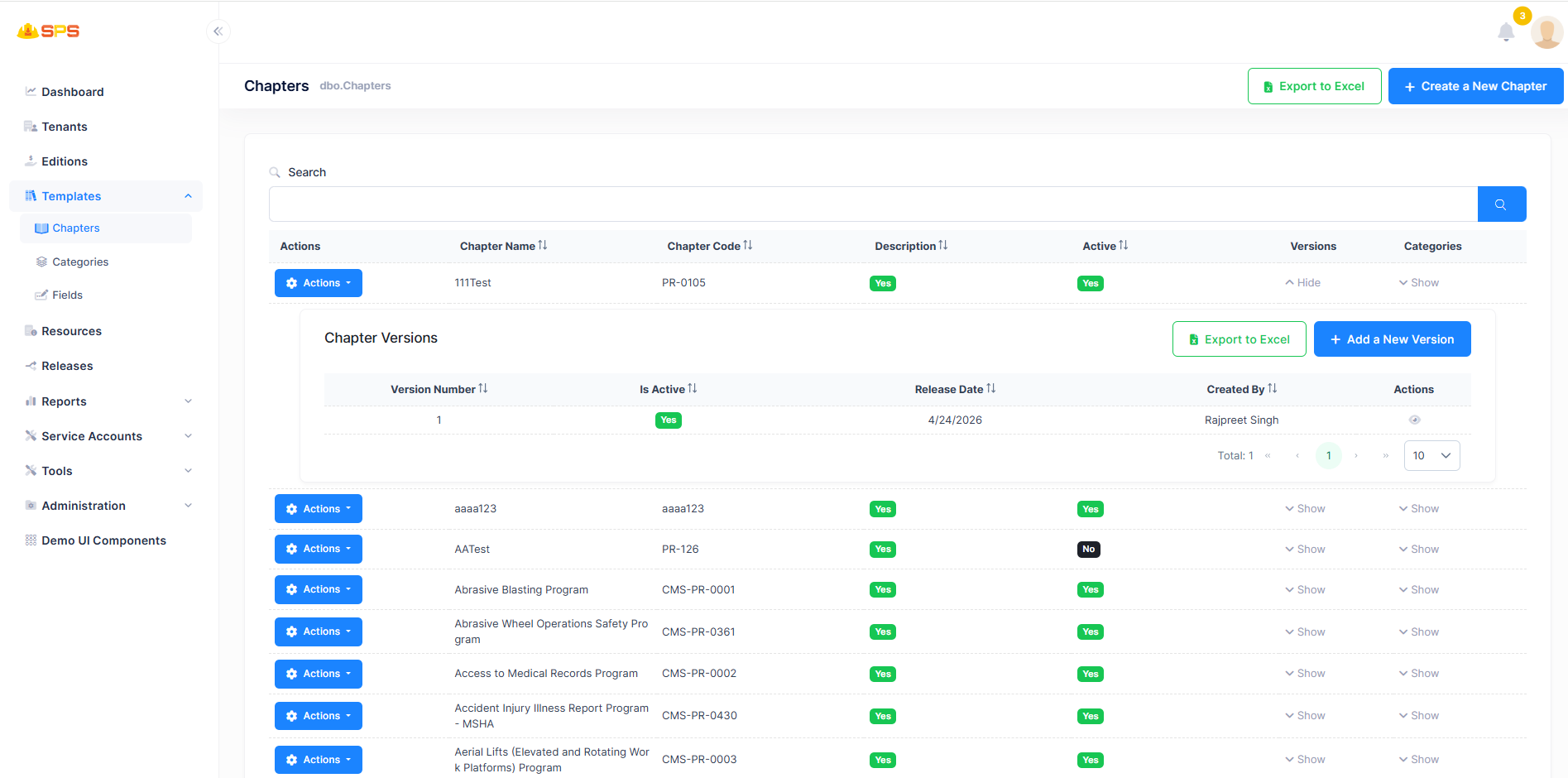
The primary grid view displays all available chapters. Enhancements and specific features include:
- Hierarchical Versioning: Each chapter supports an expandable row (
Chapter Versions) revealing the history of that specific chapter. - Version Management: Directly from the grid, administrators can view the
Is Activestatus,Release Date, and creator details for each version. - Export Capabilities: Both the main chapter list and the individual nested version lists can be exported to Excel for reporting.
2. Create a New Chapter
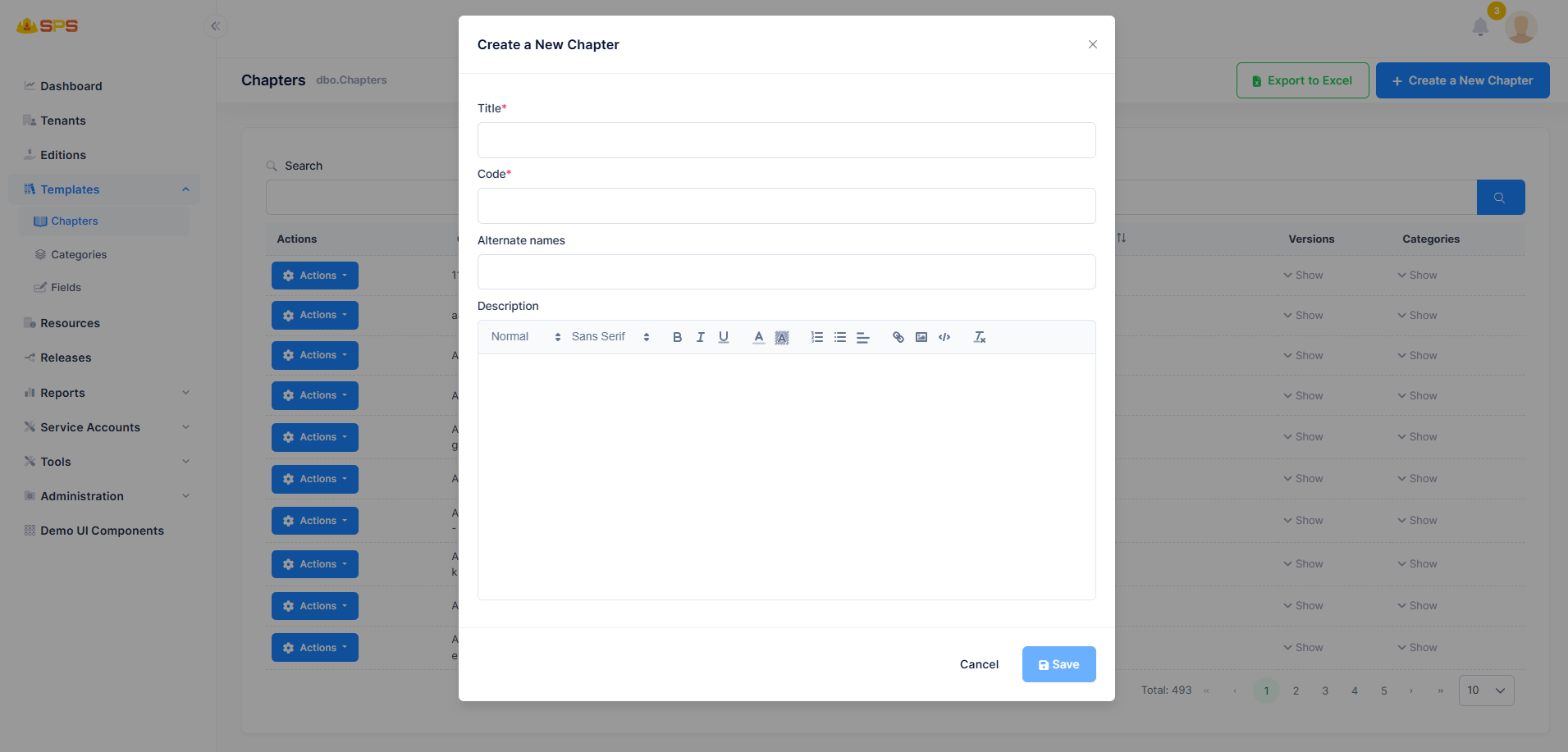
When creating a new chapter, the following properties are defined:
- Title & Code: Mandatory fields that establish the unique identity and display name of the chapter.
- Alternate Names: Supports additional identifiers for search or mapping purposes.
- Description: A rich text editor allowing detailed formatting of the chapter's purpose or baseline content.
3. Add a New Version
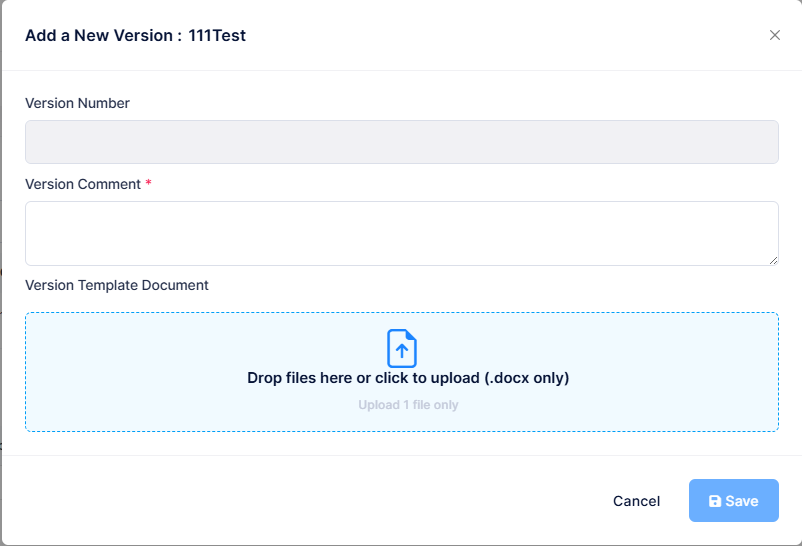
The versioning system is critical for maintaining document history and compliance updates:
- Version Tracking: Requires a specific
Version Numberand aVersion Commentto track changes and audit trails. - Document Upload: Supports uploading a
.docxfile as theVersion Template Document. This file acts as the base template for the specific chapter version, which can later be processed or compiled into complete safety manuals or resources.
4. Chapter Actions (Edit & Deactivate)
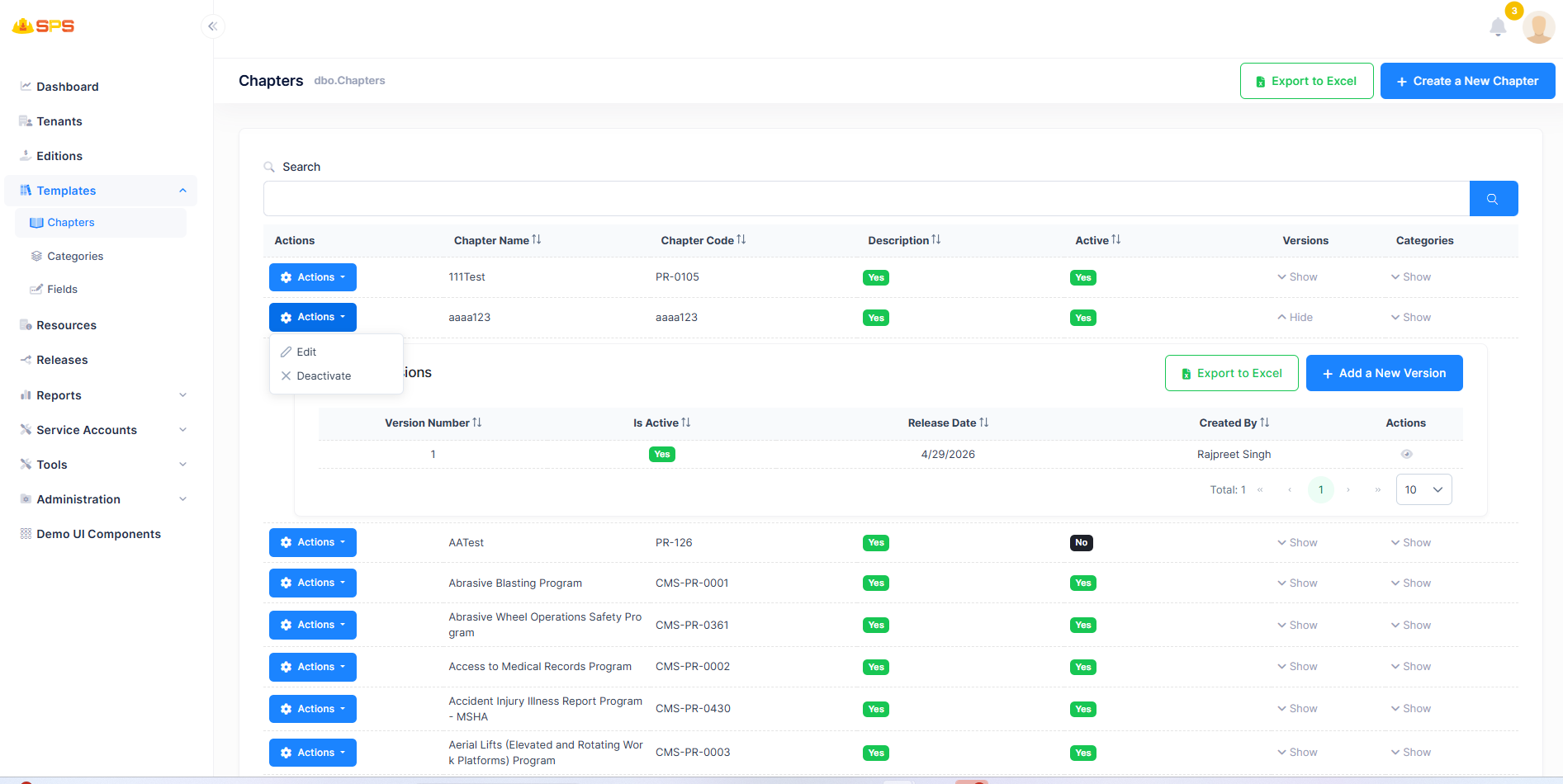
Administrators can manage the lifecycle of a chapter directly from the Actions menu on the grid:
- Edit: Update the core details (Title, Code, Description) of the chapter.
- Deactivate / Activate: Toggles the active state of the chapter. A deactivated chapter (shown with a black "No" badge in the
Activecolumn) will no longer be available for new content generation or assignments, while preserving its historical data and versions.
Developer Reference
Core Backend Components
- Entities: The data model relies on a parent
Chapterentity and a childChapterVersionentity to maintain the one-to-many versioning relationship. - File Handling: The
.docxuploads for version templates utilize file storage and processing services, ensuring optimal handling of document templates separately from standard binary objects if customized. - Application Services:
ChaptersAppServicemanages the CRUD operations for chapters, while version-specific logic and file attachments are handled via dedicated DTOs.