Fields Management
The Fields module provides a dynamic way to define placeholders or data elements within the Templates system. It allows administrators to create reusable fields with specific data types (such as Text or Image) and define Replacement Keys. These keys act as tokens that get substituted with actual data when generating or processing templates across the application.
SPS Customizations
Below are the specific workflows and customizations built into the Fields module.
1. Fields Grid
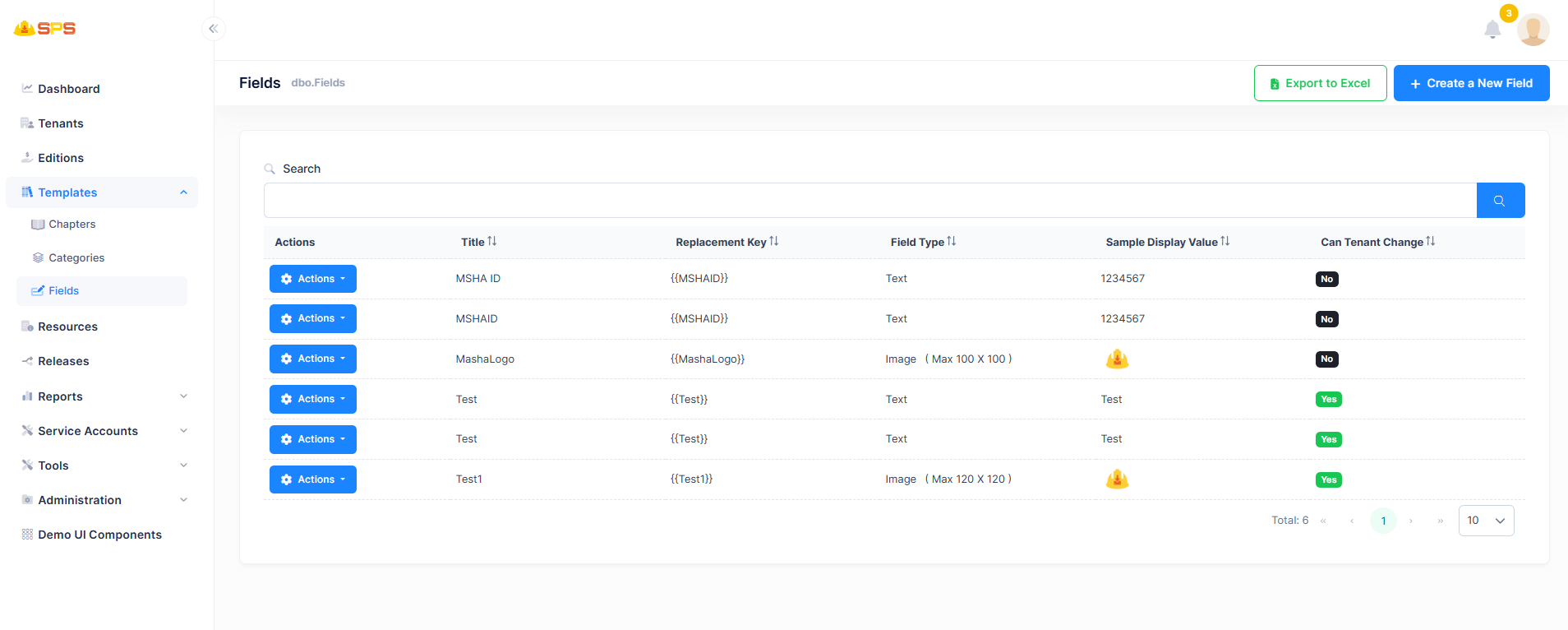
The primary grid view displays all configured fields with the following data points:
- Title: The display name of the field (e.g., "MSHA ID").
- Replacement Key: The specific token (e.g.,
{{MSHAID}}) that is mapped and replaced within the templates. - Field Type: Indicates the type of data the field expects, such as
TextorImage(along with constraints like maximum dimensions for images). - Sample Display Value: An example of how the field's data looks when rendered.
- Can Tenant Change: A boolean indicator (Yes/No) that denotes whether a tenant administrator has the permission to override or modify this field's value at the tenant level.
- Actions: Accessible via the dropdown menu to perform operations like editing existing field records.
2. Create a New Field
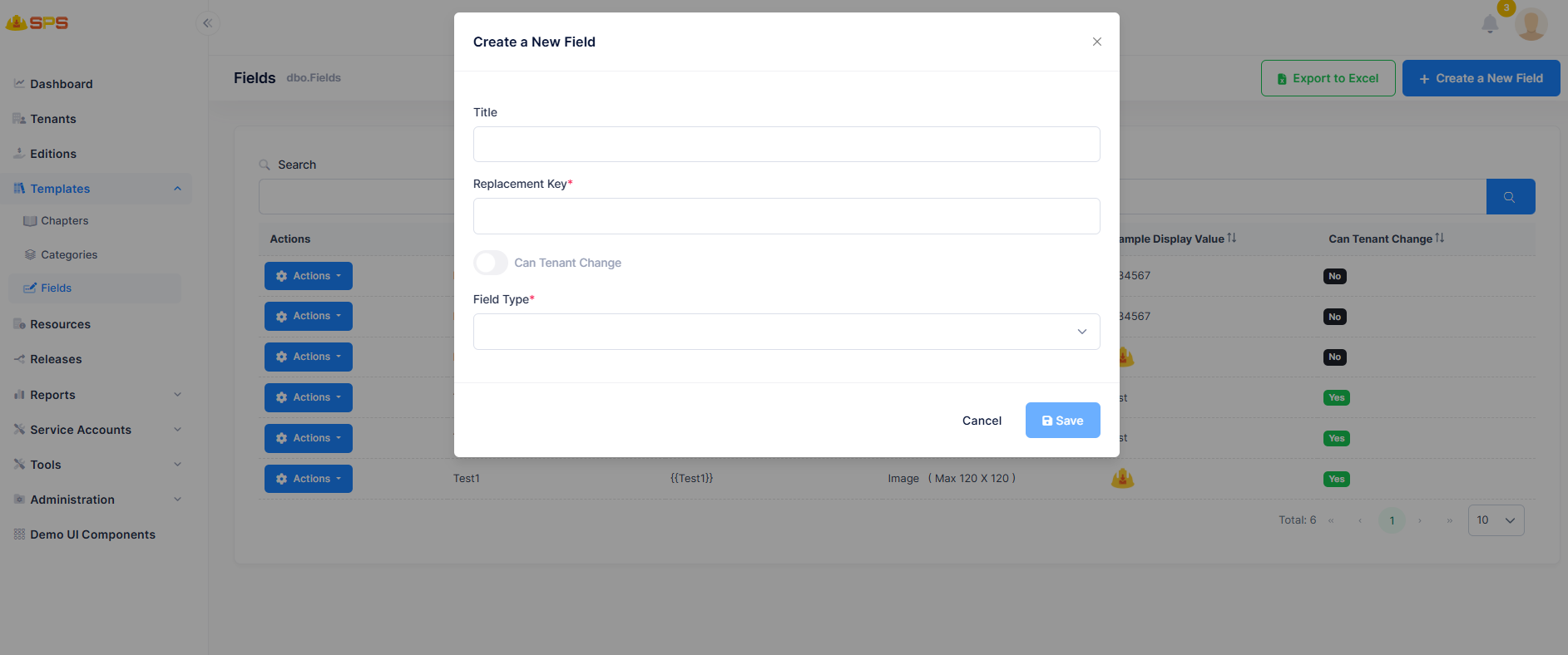
The creation and modification modal allows administrators to define the structure of a new field through a straightforward interface:
- Title: A free-text string representing the user-friendly name for the field.
- Replacement Key: A required token string that serves as the placeholder for substitutions in the documents.
- Can Tenant Change: A toggle switch that sets the tenant-level override permissions.
- Field Type: A required dropdown selection to choose the underlying data type (e.g., Text, Image). If an Image type is selected, administrators may also specify dimension constraints.
Developer Reference
Core Backend Components
- Entities: The data model is driven by a primary
Fieldentity holding core attributes like Title, Replacement Key, Field Type, and theCanTenantChangepermission flag. - Application Services: The
FieldsAppServicemanages data retrieval and creation. It also handles the mapping logic that ensures these fields are correctly provided and rendered when templates and documents are generated by the system.