Tenants Management
The Tenants module allows system administrators to manage client accounts, subscriptions, and branding. The core SaaS multi-tenancy is powered by ASP.NET Zero.
For standard multi-tenancy operations (such as user impersonation, connection strings, edition feature trees, and database settings), refer directly to the ASP.NET Zero Tenant Management Documentation.
Custom SPS Customizations
Below is a summary of the custom features and modifications introduced specifically in the SPS project:
1. Grid & Overview Customizations
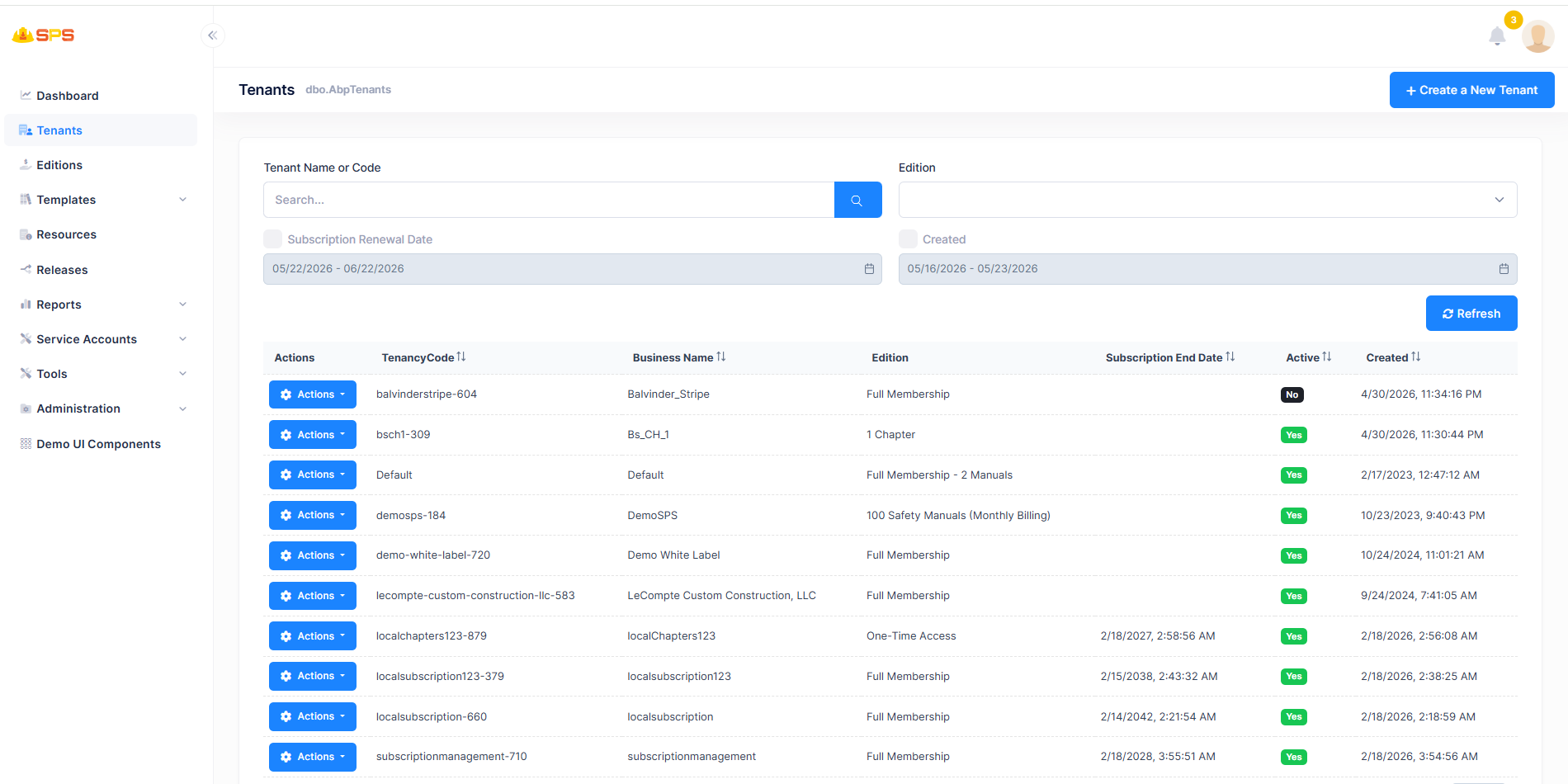
- Allowed Manuals Count: Displays the maximum count of safety manuals allowed for each tenant (retrieved via
ManualPolicy.GetAllowedManualCountAsync). - Subscription Details: Indicates if the tenant is linked to Stripe (
HasStripeSubscription) and fetches their real-timeSubscriptionStatus. - Custom Filtering: Includes creation date and subscription end date range filters in the main grid table.
2. Create Tenant
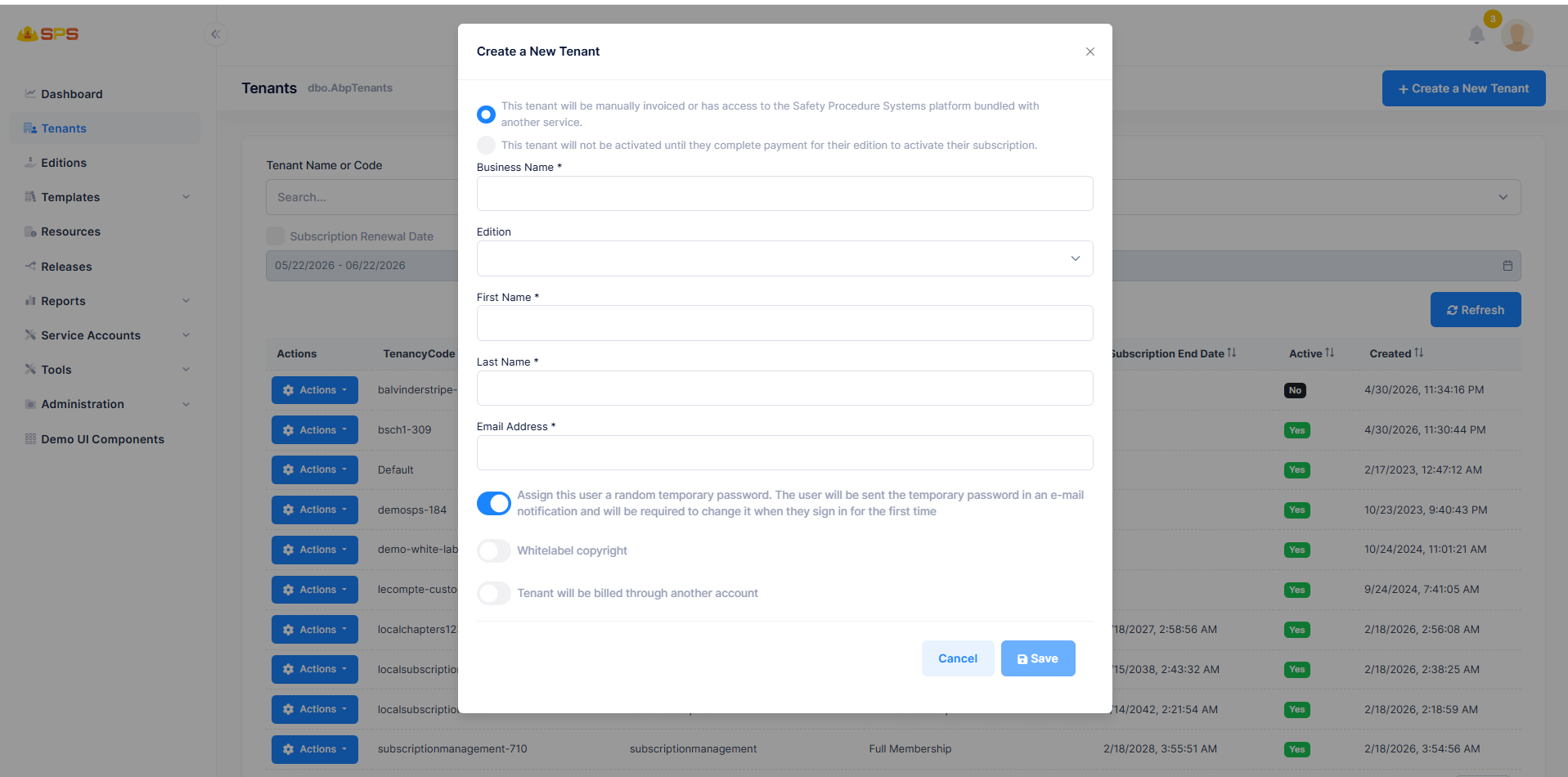
The creation dialog in SPS features several custom inputs and automation steps that are not present in standard ASP.NET Zero:
- Activation Workflow Options (Radio buttons):
- "This tenant will be manually invoiced...": Immediately activates the tenant and bypasses Stripe onboarding.
- "This tenant will not be activated until they complete payment...": Keeps the tenant inactive and triggers the Stripe checkout flow.
- Assign Temporary Password (Toggle): When enabled, the system assigns a secure, random password and sends it via email, forcing the user to change it on their first login for enhanced security.
- Whitelabel copyright (Toggle): Allows configuring custom footer copyright text.
- Tenant will be billed through another account (Toggle): Enables Proxy Billing to route subscription charges to a corporate parent account (
ProxyBillingParent). - Company Code Auto-generation: The standard text input for
Tenancy Nameis removed. SPS automatically generates it in the backend from the Business Name usingTenantManager.AutoGenerateCompanyCode. - Custom Onboarding Emails: Automatically dispatches a tailored welcome email containing Edition details, promotion codes, and securely encrypted activation/payment URLs.
3. Tenant Details (360° Audit)
The "View Details" action in the grid opens a custom audit modal containing four tabs not present in standard ASP.NET Zero:
- Users: Grid displaying registered users under the tenant.
- Safety Manuals: Tracks manual status (
Active,Processing,Queued), and supports downloading custom logos, chapter lists, or changing the manual state. - Events: Chronological audit log of tenant system events.
- Emails: SendGrid delivery status logs to track user welcome, activation, or report emails.
4. Stripe Subscription Setup Info
For inactive tenants (e.g., waiting for payment), the "View Setup Information" action displays a modal to retrieve and copy the tenant's unique Stripe Checkout URL.
5. Unlock Tenant Admin
A custom administrative action that allows host administrators to instantly unlock all users possessing the "Admin" role within a specific tenant, typically used if they are locked out due to invalid login attempts.
Developer Reference
Security Permissions
Access to these resources is controlled by the following permission keys:
Pages.Tenants(View roster)Pages.Tenants.Create(Add tenant)Pages.Tenants.Edit(Edit details)Pages.Tenants.ChangeFeatures(Override features)Pages.Tenants.Delete(Cascading hard delete)Pages.Tenants.Impersonation(Log in as tenant user)