Safety Manuals
The Safety Manuals tool provides administrators with a centralized view to monitor, search, and export safety manuals across all tenants within the SPS platform.
Custom SPS Customizations
Below is a summary of the custom features and modifications introduced specifically in the SPS project:
1. Grid & Overview Customizations
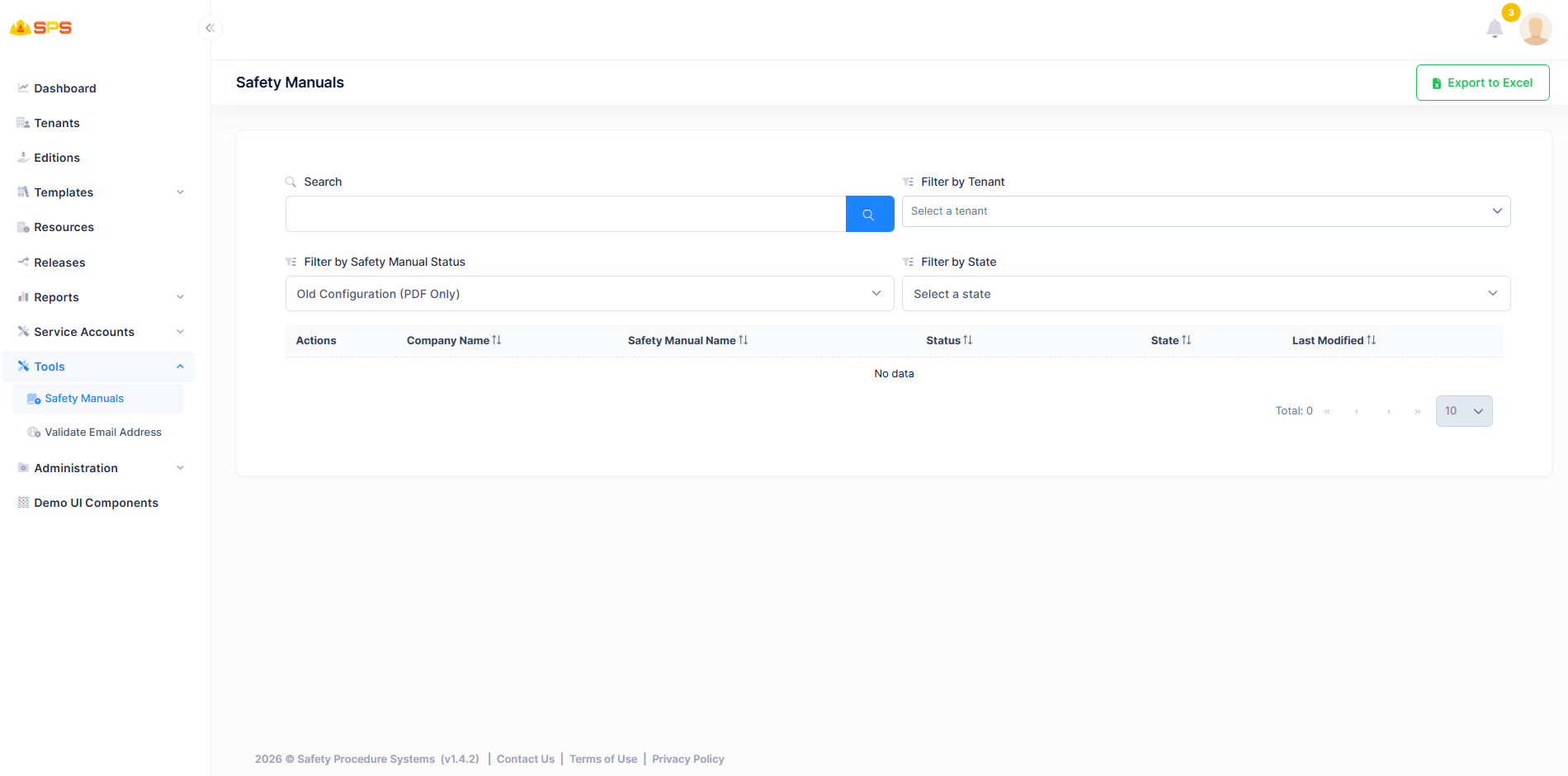
- Company Name: Displays the name of the company or tenant associated with the safety manual.
- Safety Manual Name: Shows the title or name of the safety manual.
- Status: Indicates the current status of the safety manual.
- State: Displays the geographical state associated with the manual.
- Last Modified: Shows the timestamp when the manual was last updated.
- Actions Column: Provides available actions for each safety manual.
- Search Functionality: Includes a search bar to find specific safety manuals.
- Filters: Allows filtering manuals by Tenant, Safety Manual Status, and State.
2. Export Operations
Administrators can use the Export to Excel functionality to download the safety manuals data for reporting or offline analysis.
Developer Reference
Security Permissions
Access to these resources is controlled by appropriate permission keys that manage view and export operations for safety manuals.