Validate Email Address
The Validate Email Address tool allows system administrators to verify the validity of email addresses and review the history of email validation checks performed within the SPS platform.
Custom SPS Customizations
Below is a summary of the custom features and modifications introduced specifically in the SPS project:
1. Email Validation Tool
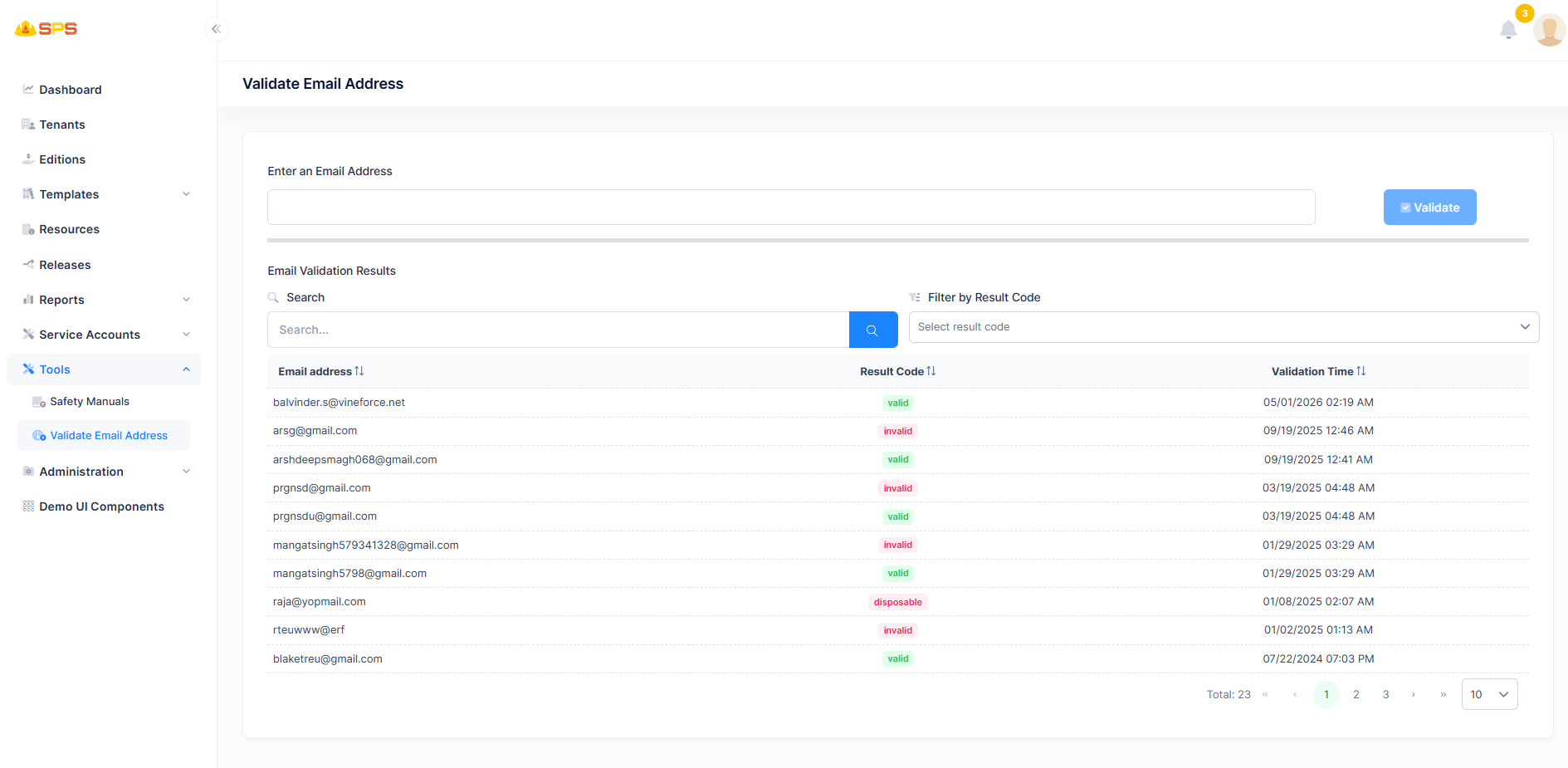
- Enter an Email Address: A text input field to input the email address that needs to be verified.
- Validate Button: Triggers the validation process for the entered email address.
2. Email Validation Results Grid
The results grid displays the history of email validation checks:
- Email address: Displays the email address that was validated.
- Result Code: Shows the outcome of the validation (e.g., Valid, Invalid, Disposable).
- Validation Time: Indicates the timestamp when the validation was performed.
- Search Functionality: Includes a search bar to filter validation results.
- Filter by Result Code: Allows filtering the results based on the validation status.
Developer Reference
Security Permissions
Access to these resources is controlled by appropriate permission keys that manage the execution of email validation and viewing the validation history.